emobility.academy
★ 4.5 from 18 student reviews · Curriculum reviewed by IIT Faculty · Continue learning
4.5 / 5 — 18 student reviews

Certification Course in ANSYS: From Fundamentals to Structural Analysis

This Certification Course in ANSYS: From Fundamentals to Structural Analysis is designed to take learners from the basics of Computer-Aided Engineering (CAE) to performing full-scale structural simulations using ANSYS Workbench. Starting with foundational concepts like FEA and FEM, the course guides students through so
8+ hours
30 video lessons
7 modules
beginner
English
Recognised & Certified by
ASDC
AICTE NEAT

Course Curriculum

33 lessons across 7 modules

This Certification Course in ANSYS: From Fundamentals to Structural Analysis is designed to take learners from the basics of Computer-Aided Engineering (CAE) to performing full-scale structural simulations using ANSYS Wo

1
Module 1

Welcome to the Course!

1 lesson
  1. 1

    Sign up at eMobility.careers to get exclusive EV job Opportunities!

    text

2
Module 2

Module 1: Getting Started with ANSYS and Simulation Techniques

6 lessons
  1. 1

    Topic 1: Introduction to CAD, CAM & CAE - Understanding the Design Process

    8 min· free trial

  2. 2

    Topic 2: Introduction to ANSYS - Fundamentals of Simulation

    8 min· free trial

  3. 3

    Topic 3: Understanding Pre-Analysis in Simulation

    4 min

  4. 4

    Topic 4: Verifying and Validating the Model in Simulation

    11 min

  5. 5

    Topic 5: ANSYS Installation Guide (Official Student Version)

    8 min

  6. 6

    Topic 6: Exploring ANSYS Interface

    19 min

3
Module 3

Module 2: Fundamentals of FEA and Material Properties for Simulation

6 lessons
  1. 1

    Topic 1: Introduction to FEA & FEM - Key Concepts

    12 min

  2. 2

    Topic 2: Nodes and Elements in FEA

    14 min

  3. 3

    Topic 3: Understanding Degree of Freedom (DOF) in FEA

    10 min

  4. 4

    Topic 4: Classification of Materials in FEA

    12 min

  5. 5

    Topic 5: Understanding Isotropic & Orthotropic Materials

    14 min

  6. 6

    Topic 6: Implicit vs Explicit Analysis

    11 min

4
Module 4

Module 3: Working with ANSYS Workbench: Project Setup & First Simulation

3 lessons
  1. 1

    Topic 1: Understanding the Project Page & Engineering Data in ANSYS Workbench

    19 min

  2. 2

    Topic 2: Performing the First Simulation in ANSYS Mechanical

    14 min

  3. 3

    Topic 3: Accessing ANSYS Workbench Help

    7 min

5
Module 5

Module 4: ANSYS Pre-Processing Workflow - From Geometry Preparation to Meshing Fundamentals

10 lessons
  1. 1

    Topic 1: Starting with Pre-Processing - Importing CAD Geometry in ANSYS

    16 min

  2. 2

    Topic 2: Geometry Clean-up and Simplification Using Ansys SpaceClaim - Part 1

    25 min

  3. 3

    Topic 3: Geometry Clean-up and Simplification Using Ansys SpaceClaim - Part 2

    22 min

  4. 4

    Topic 4: Geometry Clean-up and Simplification Using Ansys SpaceClaim - Part 3

    22 min

  5. 5

    Topic 5: Creating New Geometry Using ANSYS SpaceClaim

    14 min

  6. 6

    Topic 6: Creating and Editing Coordinate Systems

    11 min

  7. 7

    Topic 7: Meshing Fundamentals Part 1

    24 min

  8. 8

    Topic 8: Meshing Fundamentals Part 2

    23 min

  9. 9

    Topic 9: Meshing Fundamentals Part 3

    19 min

  10. 10

    Topic 10: Meshing Fundamentals Part 4

    28 min

6
Module 6

Module 5: ANSYS Static Structural Analysis - Setup, Simulation, and Results

5 lessons
  1. 1

    Topic 1: Setting-Up a Static Structural Analysis on Battery Pack in ANSYS Mechanical - Part 1

    32 min

  2. 2

    Topic 2: Setting-Up a Static Structural Analysis on Battery Pack in ANSYS Mechanical - Part 2

    24 min

  3. 3

    Topic 3: Applying Boundary & Load Conditions in Static Structural Analysis

    20 min

  4. 4

    Topic 4: Material Selection Criteria in Structural Simulations

    19 min

  5. 5

    Topic 5: Running Analysis and Results

    15 min

7
Module 7

DIY Projects:

2 lessons
  1. 1

    Project: Structural Simulation and Analysis of a Mechanical Component Using ANSYS Workbench

    assignment

  2. 2

    Congratulations on Successfully Completing the Course!

    text

Earn a certificate

Add this credential to your resume — and watch employers ask about it

Every completing learner receives a joint certificate carrying ASDC (Government of India) and AICTE NEAT recognition. The certificate carries a public verification code recruiters can validate in seconds via emobility.careers.
  • Issued when you complete the lessons and required quizzes and assignments
  • Digitally signed, with a public verification link and QR code
  • Anyone — an employer or a college — can check it in seconds
  • Shows the course title and the skills it covers
Sample emobility.academy certificate

System Requirements

Hardware & software you'll need

What to have ready before you start this course.

Hardware

  • Windows laptop or desktop with a multi-core CPU; a dedicated GPU is recommended
  • 16 GB RAM recommended for comfortable meshing and solving
  • Around 50 GB free disk space for the ANSYS installation

Software

  • ANSYS Workbench – Mechanical (student/trial licence)

Associated Skills

What you'll be able to put on your résumé

CAE fundamentalsFEA and FEM basicsANSYS Workbench workflowGeometry cleanupMeshing basicsMaterial assignmentBoundary conditions and loadsStatic structural analysisStress and deformation resultsResult interpretation

DIY Projects Included

Hardware-grounded projects in your portfolio

Work you build while learning — submitted in the course and reviewed by a trainer, and yours to show afterwards.

🔧
Project 01

Bracket stress check

Import or model a simple mounting bracket, mesh it, apply a fixed support and a load, and report maximum stress and deflection.

🧱
Project 02

Mesh refinement comparison

Run the same static analysis at two mesh sizes and compare how the stress result changes.

🔩
Project 03

Material comparison

Analyse the same part in steel and aluminium and compare deformation and factor of safety.

Course Benefits

What you'll get out of it

Two audiences. Two angles. Pick the one that maps to where you are today.

For Working Professionals

  • Check your own designs
    Run first-level static stress checks before sending parts for detailed analysis.
  • Understand FEA results
    Know what the mesh, boundary conditions and materials do to the answer.
  • Common ground with CAE teams
    Speak the same language as simulation engineers.
  • Foundation for advanced work
    Prepares you for thermal, modal and CFD work in the advanced course.

For Students & Freshers

  • Learn FEA properly
    Theory of FEA and FEM is covered before the software steps.
  • Usable in projects
    Apply static analysis to final-year and competition parts.
  • Clear next step
    Move on to Advanced ANSYS for EV Engineering afterwards.
  • Used across programmes
    It is a building block in several of our programmes.

What this course includes

Everything you get when you enrol

  • -5 Modules
  • -30 Video Lectures
  • -8.29 Hours of Video Content
  • -1 Project Assignment
  • -Certificate of Completion

Who can take this course?

If any of these sound like you — you'll thrive here

  • Mechanical, automobile and electrical engineering students new to FEA and ANSYS
  • Design engineers who model parts in CAD and want to check stress and deflection themselves
  • Professionals moving from hand calculations to simulation-based design checks
  • Learners planning to take Advanced ANSYS for EV Engineering next
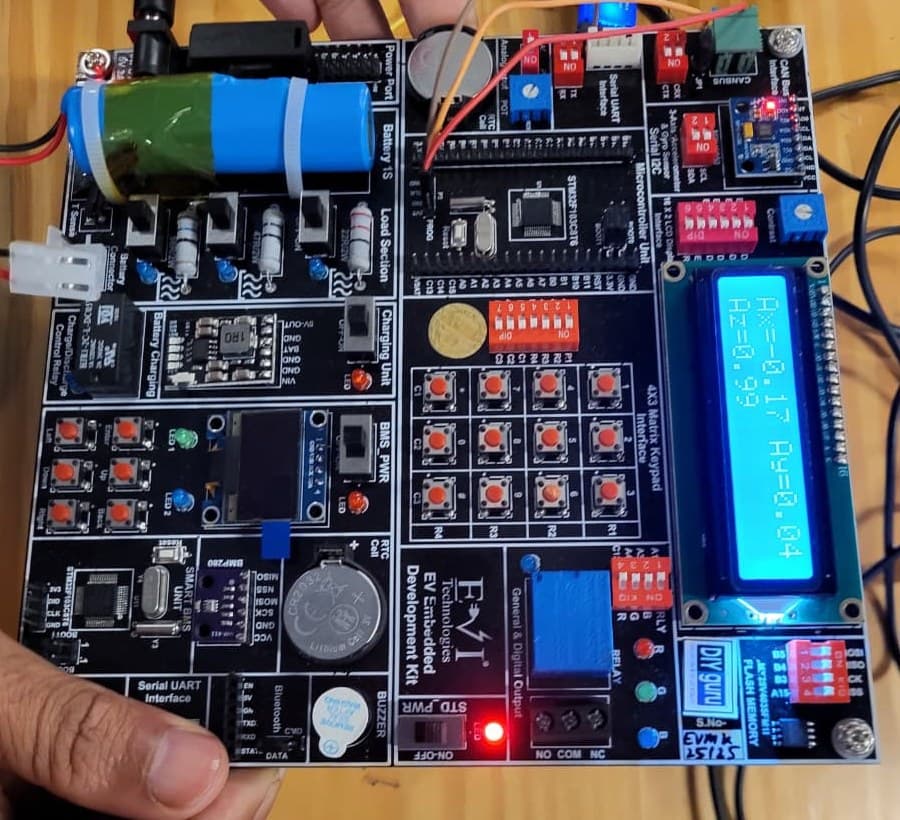
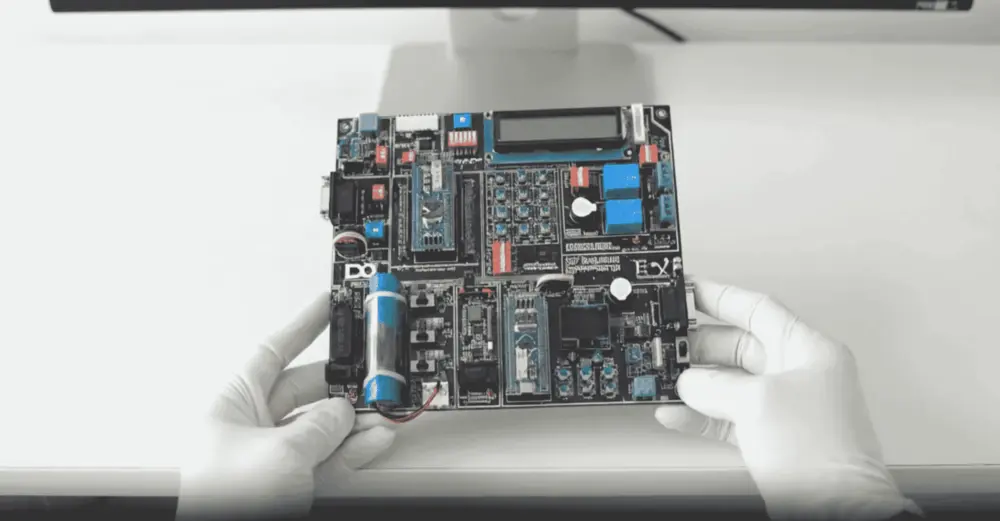
EV Embedded Development Kit board

Practise on real hardware

EV Embedded Development Kit

  • STM32 controller and Smart BMS unit
  • CAN, UART, I2C, SPI and Bluetooth
  • Sensors, LCD, OLED and motor control
  • 15+ guided experiments at home

₹10,000 + GST

See what's in the kit

Trainer Support

Stuck on a concept? Ask a trainer.

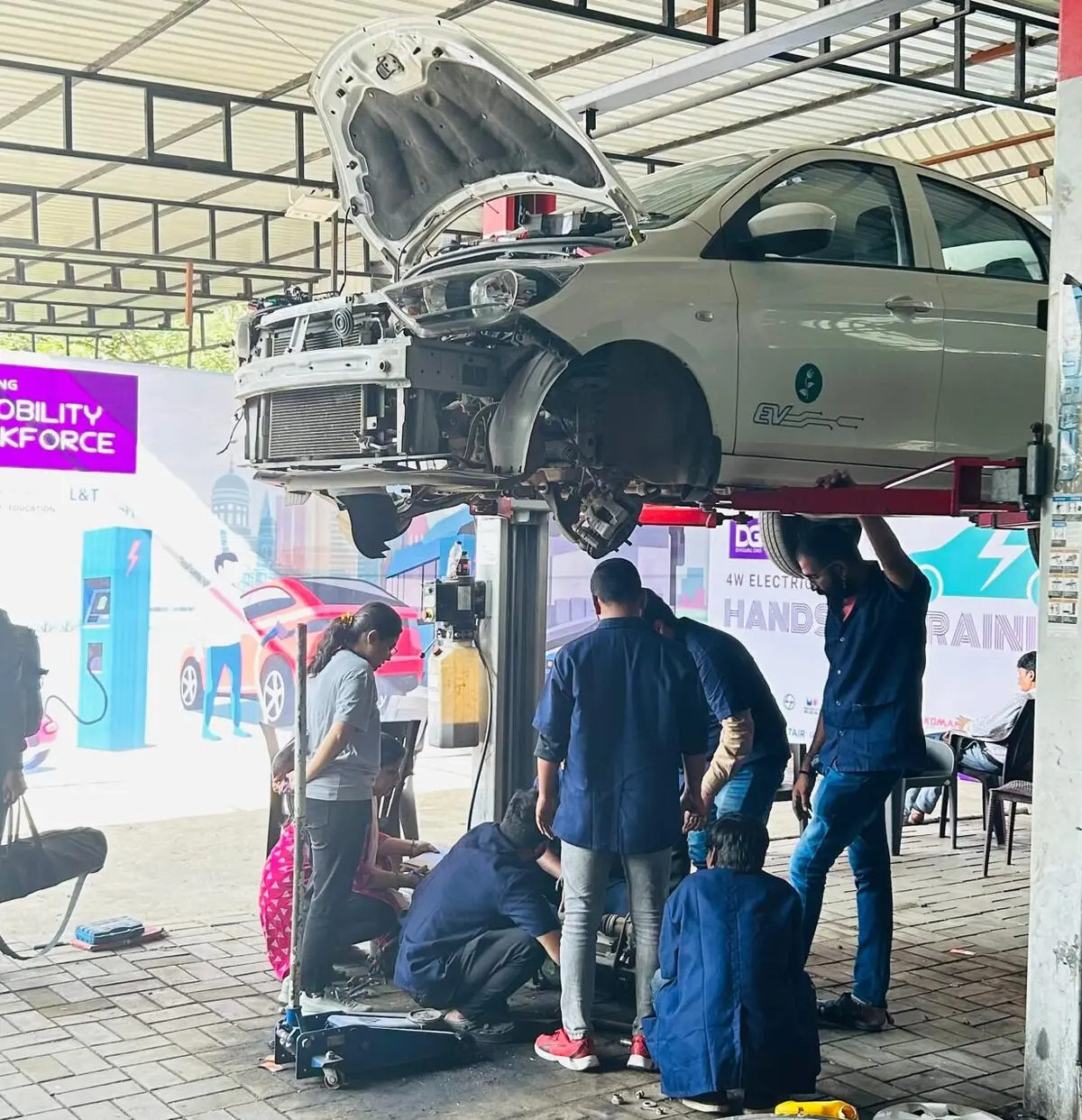
DIYguru trainer working with learners

Post doubts in the course Q&A, for example on installation, a geometry that will not mesh or boundary conditions that give unexpected stress, and a trainer will reply. Programme students also get scheduled live classes and doubt-clearing sessions.

  • Ask questions in the course Q&A, right next to the lesson
  • Trainers answer on the portal — you're notified when they reply
  • Assignments and projects you submit are reviewed by a trainer
  • Live doubt-clearing sessions when they're scheduled for the course

Bharat eMobility Recruitathon

Meet the EV industry in person

The Bharat eMobility Recruitathon brings our learners face to face with companies hiring across the EV industry. Watch the Delhi and Pune chapters.

Delhi chapterRecruitathon
Pune chapterRecruitathon

Reviews

4.5 ★ from 18 student reviews

  • ★★★★★

    excellent course

    Mounica N. · Jun 2026

  • ★★★★★

    Great course for a start in CAD/CAE

    Swaraj S. · Jun 2025

  • ★★★★★

    Good Course. A very good course which helps in understanding the fundamentals of ANSYS and helps us to carry out analysis studies using ANSYS

    Shashaank K. · Apr 2023

    Reviewed on courses.diyguru.org

  • ★★★★★

    Happy!!. DIYguru's course content is designed in a way that every session is closely connected to the next. There is no need to mug up the lessons. The instructors put thought into training and motivating students. I am really happy I joined the course.

    Mrinmoy R. · Aug 2020

    Reviewed on courses.diyguru.org

  • ★★★★★

    Nice Approach. I like DIYguru courses for the following reasons: It provides a unique blend of theoretical and practical based approach. 2. The learning pace is comfortable.

    Sakshi R. · Aug 2020

    Reviewed on courses.diyguru.org

  • ★★★★★

    Great Experience. I am a graduate. I had always attended physical classroom sessions, but this is the first time I experienced online classes. DIYguru allowed learning from different ways. Big thanks to the support team.

    Ashish D. · May 2020

    Reviewed on courses.diyguru.org

FAQ

Frequently asked questions

Do I need FEA experience?
No. The course starts with CAE concepts and FEA/FEM theory before moving into ANSYS Workbench.
Which software is used?
ANSYS Workbench (Mechanical). A student or trial licence is enough for learning, within its model-size limits.
What comes after this course?
Certification Course in Advanced ANSYS for EV Engineering, which adds heat transfer, modal analysis, CFD and EV case studies such as battery vibration and drop tests.
Does it cover thermal or CFD analysis?
No. This course focuses on structural analysis. Thermal, modal and CFD topics are in the advanced course.
Which programmes include it?
It is part of the Advanced Nanodegree in EV Design, Simulation & Analysis (EE), the Advanced Nanodegree in Automotive EV Design & Dynamics (Mechanical), the Advanced Nanodegree in Battery & BMS, the Professional Certification Programmes in EV Electrical Design & Simulation, Motor Drive & Control Systems and EV Automotive Design & Simulation, and the PG Certificate Programme in EV & Embedded Systems.
Will I get a certificate?
On completing all lessons and any required quizzes or assignments, you receive a digitally signed certificate that anyone can verify through its public verification link or QR code.
How is the course delivered?
As recorded video lessons on the portal that you watch at your own pace, with quizzes, assignments and a project where the course includes them. Your progress is saved lesson by lesson.
What if I get stuck?
Ask in the course's Q&A on the portal — a trainer answers there. Live doubt-clearing sessions are added when they are scheduled for the course.
What certificate will I get?
A digitally signed certificate of completion once you finish the lessons and the required quizzes and assignments. Each certificate has a public verification link and QR code anyone can check.

Talk to a counsellor

Questions about Certification Course in ANSYS: From Fundamentals to Structural Analysis?

Leave your details — a counsellor will call you about the syllabus, fees, EMI and certificates.

Technical Expertise You Will Gain

Where Certification Course in ANSYS: From Fundamentals to Structural Analysis can take you

The roles these skills are used in, what you'll be able to do, and the parts of the industry that need it.

Key Job Roles

  • →CAE engineer (trainee)
  • →FEA analyst (junior)
  • →Design engineer with simulation skills
  • →Structural analysis associate

Skill Sets

  • →Explain the basics of FEA, FEM and the CAE workflow
  • →Prepare and clean up CAD geometry for analysis
  • →Create and check meshes in ANSYS Workbench
  • →Apply materials, loads and boundary conditions for static analysis
  • →Interpret stress and deformation results and judge whether they are reasonable

Where These Skills Are Used

  • →Automotive and EV component design
  • →CAE and engineering services
  • →Industrial machinery and equipment
  • →Battery and motor enclosure design
  • →General mechanical product design

Government-Certified · Industry-Endorsed · Learner-Approved

Globally recognised credentials

ASDC (Govt of India)

ASDC (Govt of India)

Automotive Skills Development Council — recognised by major OEMs worldwide.

AICTE NEAT

AICTE NEAT

National Educational Alliance for Technology — issued under AICTE's premium learning ecosystem.

Learner Stories

What our learners say

The hardware-first approach made all the difference. Came in from a generalist electronics background; the BMS and motor-drive modules gave me concrete vocabulary I could carry into Infineon interviews.

Souvik Hazra
Souvik Hazra
Senior Manager · Infineon Technologies

Industry-grade depth without the academic ivory tower. The MATLAB Simulink + capstone defence prepared me for exactly the kind of cross-functional EV problems we solve at Cummins.

Sharad Yeola
Sharad Yeola
Application Controls Lead · Cummins Inc.

Started with electronics, walked into a BMS role in Germany. The applied projects + mentor reviews are what carried me through — the certifications opened the door, the depth got me hired.

Jagatjit Barik
Jagatjit Barik
Sr. R&D Engineer (BMS xEV) · Mercedes-Benz

Ready to start Certification Course in ANSYS: From Fundamentals to Structural Analysis?

Recorded lessons at your own pace · trainer doubt support · verifiable certificate on completion.


Accreditations

Programs Recognised by Govt. Bodies & Industries

ASDC
AICTE NEAT
SIMOPS Saudi
DSD Malaysia
UK Government
UACH
Tata Technologies
ADYPU
UDYOGA Karnataka
Ola Mobility Institute