emobility.academy
Curriculum reviewed by IIT Faculty · Continue learning

SOLIDWORKS से 2W और 4W EV डिज़ाइन और मॉडलिंग में सर्टिफ़िकेशन कोर्स

“SOLIDWORKS से इलेक्ट्रिक व्हीकल मॉडलिंग और डिज़ाइन में सर्टिफ़िकेशन प्रोग्राम” SolidWorks का उपयोग करके टू-व्हीलर और फोर-व्हीलर डिज़ाइन करने की व्यापक गाइड देता है। आप 3D मॉडलिंग में महारत हासिल करने से शुरुआत करेंगे और धीरे-धीरे फ्रेम, सस्पेंशन, स्विंग आर्म, व्हील, मोटर कंट्रोलर केसिंग और स्टीयरिंग सिस्टम जैसे प्रमुख
17.5+ hours
60 video lessons
13 modules
beginner
English
Recognised & Certified by
ASDC
AICTE NEAT

Course Curriculum

63 lessons across 13 modules

“SOLIDWORKS से इलेक्ट्रिक व्हीकल मॉडलिंग और डिज़ाइन में सर्टिफ़िकेशन प्रोग्राम” SolidWorks का उपयोग करके टू-व्हीलर और फोर-व्हीलर डिज़ाइन करने की व्यापक गाइड देता है। आप 3D मॉडलिंग में महारत हासिल करने से शुरुआत करेंगे और

1
Module 1

कोर्स में आपका स्वागत है!

1 lesson
  1. 1

    ev.care पर साइन अप करें और मुफ़्त लर्निंग मटीरियल व Q&A सपोर्ट पाएँ!

    text

2
Module 2

मॉड्यूल 1: परिचय और बुनियादी बातें

2 lessons
  1. 1

    व्याख्यान 1: 2W डिज़ाइन की शुरुआत

    15 min· free trial

  2. 2

    व्याख्यान 2: SOLIDWORKS से 2W मॉडलिंग की शुरुआत

    16 min· free trial

3
Module 3

मॉड्यूल 2: 2W - चेसिस/फ्रेम और सस्पेंशन डिज़ाइन

4 lessons
  1. 1

    व्याख्यान 3: SOLIDWORKS से चेसिस/फ्रेम डिज़ाइन करना

    16 min

  2. 2

    व्याख्यान 4: SOLIDWORKS से रियर सस्पेंशन डिज़ाइन करना भाग 1

    16 min

  3. 3

    व्याख्यान 5: SOLIDWORKS से रियर सस्पेंशन डिज़ाइन करना भाग 2

    17 min

  4. 4

    व्याख्यान 6: SOLIDWORKS से रियर सस्पेंशन डिज़ाइन करना भाग 3

    8 min

4
Module 4

मॉड्यूल 3: 2W - स्विंग आर्म डिज़ाइन

3 lessons
  1. 1

    व्याख्यान 7: SOLIDWORKS से स्विंग आर्म डिज़ाइन करना भाग 1

    19 min

  2. 2

    व्याख्यान 8: SOLIDWORKS से स्विंग आर्म डिज़ाइन करना भाग 2

    12 min

  3. 3

    व्याख्यान 9: SOLIDWORKS से स्विंग आर्म डिज़ाइन करना भाग 3

    10 min

5
Module 5

मॉड्यूल 4: 2W - व्हील डिज़ाइन

9 lessons
  1. 1

    व्याख्यान 10: SOLIDWORKS से फ्रंट अलॉय व्हील डिज़ाइन करना

    15 min

  2. 2

    व्याख्यान 11: SOLIDWORKS से टायर डिज़ाइन करना

    16 min

  3. 3

    व्याख्यान 12: SOLIDWORKS में फ्रंट अलॉय व्हील, टायर और स्विंग आर्म असेंबल करना

    20 min

  4. 4

    व्याख्यान 13: SOLIDWORKS से डिस्क ब्रेक (फ्रंट व्हील के लिए) डिज़ाइन करना

    18 min

  5. 5

    व्याख्यान 14: SOLIDWORKS में फ्रंट अलॉय व्हील के साथ डिस्क ब्रेक असेंबल करना

    17 min

  6. 6

    व्याख्यान 15: SOLIDWORKS से फ्रंट टेलीस्कोपिक सस्पेंशन डिज़ाइन करना भाग 1

    20 min

  7. 7

    व्याख्यान 16: SOLIDWORKS से फ्रंट टेलीस्कोपिक सस्पेंशन डिज़ाइन करना भाग 2

    8 min

  8. 8

    व्याख्यान 17: SOLIDWORKS से रियर व्हील हब मोटर डिज़ाइन करना

    18 min

  9. 9

    व्याख्यान 18: SOLIDWORKS से ड्रम ब्रेक (रियर व्हील के लिए) डिज़ाइन करना

    22 min

6
Module 6

मॉड्यूल 5: 2W - मोटर कंट्रोलर केसिंग, बैटरी पैक और स्टीयरिंग डिज़ाइन

7 lessons
  1. 1

    व्याख्यान 19: SOLIDWORKS से मोटर कंट्रोलर केसिंग डिज़ाइन करना भाग 1

    19 min

  2. 2

    व्याख्यान 20: SOLIDWORKS से मोटर कंट्रोलर केसिंग डिज़ाइन करना भाग 2

    15 min

  3. 3

    व्याख्यान 21: SOLIDWORKS से मोटर कंट्रोलर केसिंग डिज़ाइन करना भाग 3

    15 min

  4. 4

    व्याख्यान 22: SOLIDWORKS से बैटरी पैक डिज़ाइन करना

    34 min

  5. 5

    व्याख्यान 23: SOLIDWORKS से DC-DC कन्वर्टर डिज़ाइन करना

    13 min

  6. 6

    व्याख्यान 24: SOLIDWORKS के साथ 2W स्टीयरिंग (हैंडलबार) डिज़ाइन करना भाग 1

    10 min

  7. 7

    व्याख्यान 25: SOLIDWORKS से 2W स्टीयरिंग (हैंडलबार) डिज़ाइन करना भाग 2

    20 min

7
Module 7

मॉड्यूल 6: 2W - इंटीग्रेशन और असेंबली

6 lessons
  1. 1

    व्याख्यान 26: SOLIDWORKS में 2W कंपोनेंट इंटीग्रेट करना - कंपोनेंट असेंबली का अवलोकन

    19 min

  2. 2

    व्याख्यान 27: SOLIDWORKS में 2W कंपोनेंट असेंबल करना - भाग 1

    16 min

  3. 3

    व्याख्यान 28: SOLIDWORKS में 2W कंपोनेंट असेंबल करना - भाग 2

    21 min

  4. 4

    व्याख्यान 29: SOLIDWORKS में 2W कंपोनेंट असेंबल करना - भाग 3

    14 min

  5. 5

    व्याख्यान 30: SOLIDWORKS में 2W सीट की मॉडलिंग

    19 min

  6. 6

    व्याख्यान 31: SOLIDWORKS में फ़ाइनल 2W असेंबली में सीट जोड़ना

    17 min

8
Module 8

मॉड्यूल 7: 2W - फ़ाइनल असेंबली और डिटेलिंग

12 lessons
  1. 1

    व्याख्यान 32: 2W डायनामिक्स असेंबली भाग 1

    11 min

  2. 2

    व्याख्यान 33: 2W डायनामिक्स असेंबली भाग 2

    16 min

  3. 3

    व्याख्यान 34: 2W डायनामिक्स असेंबली भाग 3 - सीट

    18 min

  4. 4

    व्याख्यान 35: SOLIDWORKS में लोअर फ़्लोर और पैनल डिज़ाइन करना

    17 min

  5. 5

    व्याख्यान 36: SOLIDWORKS से फ्रंट पैनल डिज़ाइन करना भाग 1

    17 min

  6. 6

    व्याख्यान 37: SOLIDWORKS से फ्रंट पैनल डिज़ाइन करना भाग 2

    16 min

  7. 7

    व्याख्यान 38: SOLIDWORKS से फ्रंट पैनल डिज़ाइन करना भाग 3

    14 min

  8. 8

    व्याख्यान 39: SOLIDWORKS में हेडलाइट डिज़ाइन और असेंबल करना

    16 min

  9. 9

    व्याख्यान 40: SOLIDWORKS में फ्रंट फ़ेंडर डिज़ाइन और असेंबल करना

    19 min

  10. 10

    व्याख्यान 41: SOLIDWORKS में रियर कवर/पैनल डिज़ाइन करना

    16 min

  11. 11

    व्याख्यान 42: SOLIDWORKS में रियर लाइट डिज़ाइन और असेंबल करना

    16 min

  12. 12

    लेक्चर 43: SOLIDWORKS में Rear Fender की डिज़ाइनिंग व असेंबली और 2W डिज़ाइन को अंतिम रूप देना

    23 min

9
Module 9

मॉड्यूल 8: 4W - चेसिस और स्ट्रक्चरल फ्रेम डिज़ाइन

5 lessons
  1. 1

    व्याख्यान 44: 4W - कार चेसिस भाग 1

    14 min

  2. 2

    व्याख्यान 45: 4W - कार चेसिस भाग 2

    17 min

  3. 3

    व्याख्यान 46: 4W - कार चेसिस भाग 3

    15 min

  4. 4

    व्याख्यान 47: 4W - टॉर्शन बीम भाग 1

    13 min

  5. 5

    व्याख्यान 48: 4W - टॉर्शन बीम भाग 2

    15 min

10
Module 10

मॉड्यूल 9: 4W - व्हील, टायर और ब्रेक सिस्टम डिज़ाइन

3 lessons
  1. 1

    व्याख्यान 49: 4W - कार टायर भाग 1

    13 min

  2. 2

    व्याख्यान 50: 4W - कार टायर भाग 2

    12 min

  3. 3

    व्याख्यान 51: 4W - कार ब्रेक रोटर

    24 min

11
Module 11

मॉड्यूल 10: 4W - स्टीयरिंग और सस्पेंशन डिज़ाइन

7 lessons
  1. 1

    व्याख्यान 52: 4W - स्टीयरिंग नकल भाग 1

    18 min

  2. 2

    व्याख्यान 53: 4W - स्टीयरिंग नकल भाग 2

    24 min

  3. 3

    व्याख्यान 54: 4W - स्टीयरिंग नकल भाग 3

    7 min

  4. 4

    व्याख्यान 55: 4W - फ्रंट सस्पेंशन MacPherson भाग 1

    13 min

  5. 5

    व्याख्यान 56: 4W - फ्रंट सस्पेंशन MacPherson भाग 2

    16 min

  6. 6

    व्याख्यान 57: 4W - लोअर कंट्रोल आर्म भाग 1

    14 min

  7. 7

    व्याख्यान 58: 4W - लोअर कंट्रोल आर्म भाग 2

    7 min

12
Module 12

मॉड्यूल 11: 4W - पावरट्रेन और ड्राइवलाइन सिस्टम

2 lessons
  1. 1

    व्याख्यान 59: 4W - पावरट्रेन भाग 1

    17 min

  2. 2

    व्याख्यान 60: 4W - पावरट्रेन भाग 2

    19 min

13
Module 13

DIY प्रोजेक्ट:

2 lessons
  1. 1

    प्रोजेक्ट: SOLIDWORKS में 2W डिज़ाइन

    assignment

  2. 2

    कोर्स सफलतापूर्वक पूरा करने पर बधाई!

    text

Earn a certificate

Add this credential to your resume — and watch employers ask about it

Every completing learner receives a joint certificate carrying ASDC (Government of India) and AICTE NEAT recognition. The certificate carries a public verification code recruiters can validate in seconds via emobility.careers.
  • Issued when you complete the lessons and required quizzes and assignments
  • Digitally signed, with a public verification link and QR code
  • Anyone — an employer or a college — can check it in seconds
  • Shows the course title and the skills it covers
Sample emobility.academy certificate

System Requirements

Hardware & software you'll need

What to have ready before you start this course.

Hardware

  • Windows laptop or desktop that meets SOLIDWORKS system requirements, with a dedicated GPU recommended for large assemblies
  • 16 GB RAM recommended (full-vehicle assemblies get heavy)
  • Three-button mouse

Software

  • SOLIDWORKS (student/trial licence)

Associated Skills

What you'll be able to put on your résumé

SOLIDWORKS part modellingSOLIDWORKS assemblies2W frame designSwing arm modellingHub motor and brake modellingBattery pack enclosureCar chassis modellingTorsion beam axleMacPherson strutSteering knuckleLower control armEV powertrain layout

DIY Projects Included

Hardware-grounded projects in your portfolio

Work you build while learning — submitted in the course and reviewed by a trainer, and yours to show afterwards.

🛵
Project 01

Full e-scooter assembly

Complete the course project: model and assemble the 2W frame, suspension, wheels, brakes, battery pack, controller casing and body panels into one SOLIDWORKS assembly.

🚙
Project 02

4W front corner assembly

Combine your steering knuckle, MacPherson strut, lower control arm, brake rotor and tyre into a front corner assembly and check fit and clearances.

🔩
Project 03

Rear axle and powertrain layout

Model the torsion beam and place the powertrain from Module 11 on your car chassis to see packaging and mounting points.

Course Benefits

What you'll get out of it

Two audiences. Two angles. Pick the one that maps to where you are today.

For Working Professionals

  • Cover both vehicle types
    Work through 2W and 4W chassis, suspension and steering parts in one course.
  • Understand 4W suspension hardware
    Model MacPherson strut, lower control arm, knuckle and torsion beam, the parts that set wheel geometry.
  • Better assembly management
    Practise integrating dozens of parts into vehicle-level assemblies.
  • Packaging awareness
    See how motor, battery and controller housings fit into a vehicle layout.

For Students & Freshers

  • Two vehicle projects in one
    Finish with a full 2W model plus 4W chassis and suspension parts for your portfolio.
  • Good for student vehicle teams
    The chassis and suspension parts match what Formula Student and BAJA teams design.
  • Learn by building
    Every lecture is a part or assembly step in SOLIDWORKS.
  • Fits your programme
    It is also part of the Nanodegree and PG programmes listed below.

What this course includes

Everything you get when you enrol

  • 11 Modules
  • 60 Lectures
  • 17.5 Hours of video content.
  • 1 Project Assignment
  • Certification of Completion.

Who can take this course?

If any of these sound like you — you'll thrive here

  • Mechanical and automobile engineering students who want vehicle-level SOLIDWORKS practice on both 2W and 4W
  • Design engineers moving from two-wheelers to passenger-car chassis and suspension parts, or the other way round
  • Formula Student, BAJA and e-vehicle club members modelling chassis and suspension parts
  • Nanodegree and PG learners building the mechanical design part of their programme
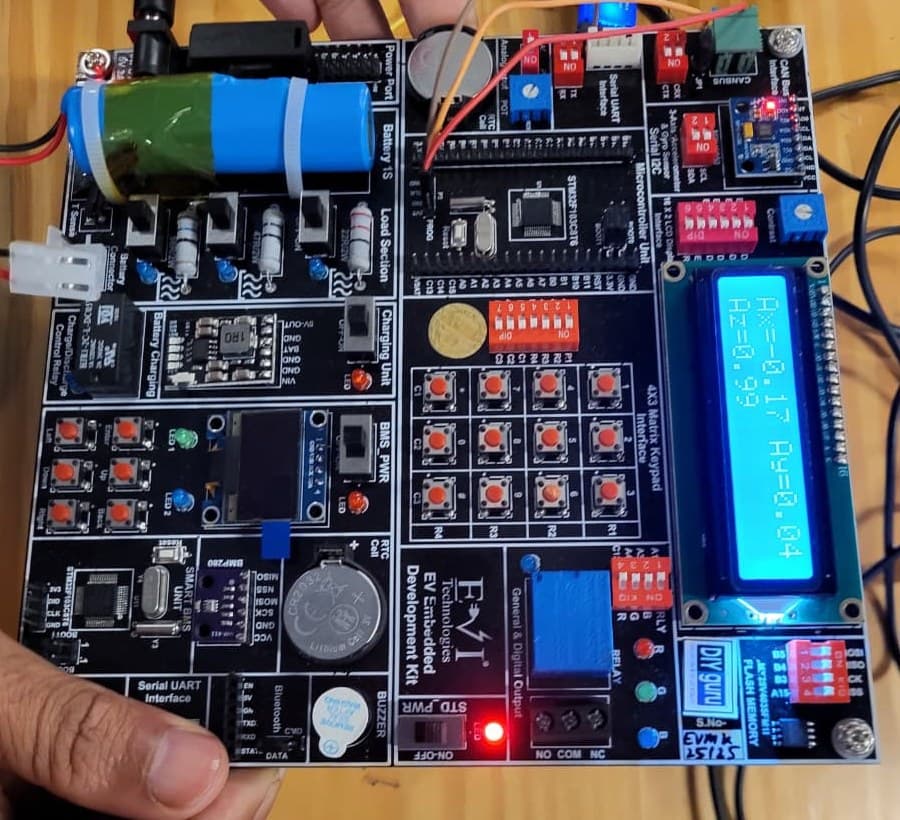
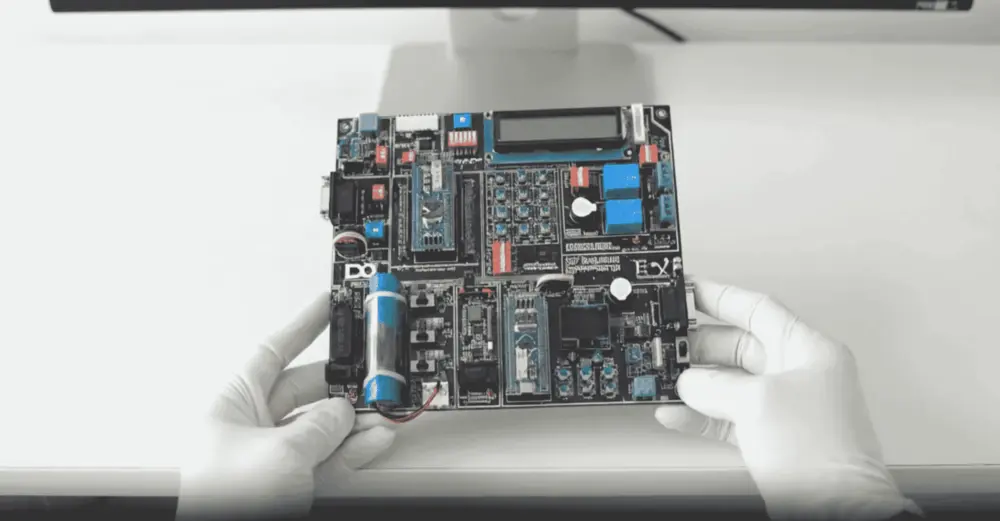
EV Embedded Development Kit board

Practise on real hardware

EV Embedded Development Kit

  • STM32 controller and Smart BMS unit
  • CAN, UART, I2C, SPI and Bluetooth
  • Sensors, LCD, OLED and motor control
  • 15+ guided experiments at home

₹10,000 + GST

See what's in the kit

Trainer Support

Stuck on a concept? Ask a trainer.

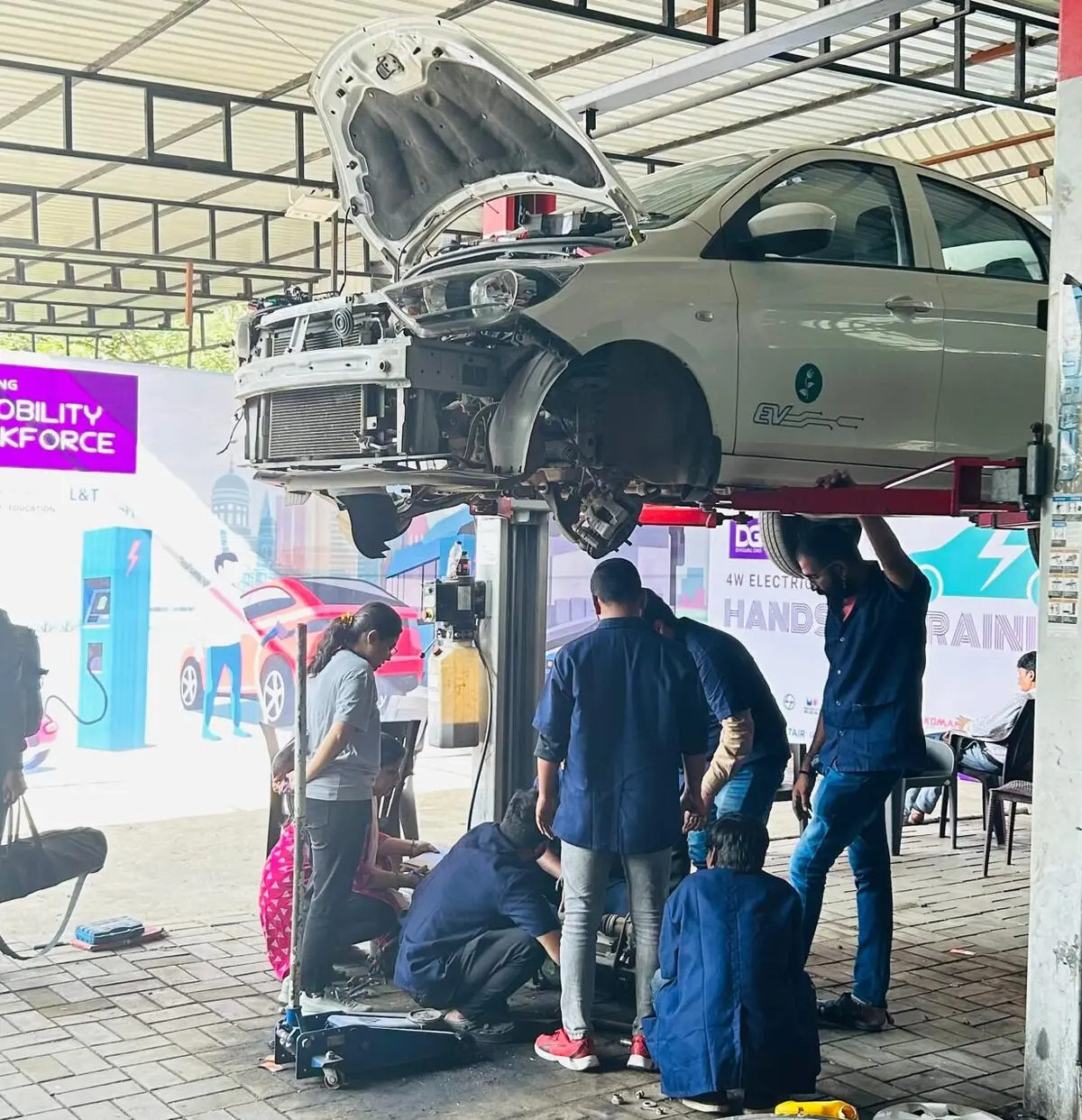
DIYguru trainer working with learners

Post doubts in the course Q&A, such as mate errors in the 2W assembly or a sketch issue on the steering knuckle, and a trainer will answer. Nanodegree and PG programme students also get scheduled live classes and doubt-clearing sessions.

  • Ask questions in the course Q&A, right next to the lesson
  • Trainers answer on the portal — you're notified when they reply
  • Assignments and projects you submit are reviewed by a trainer
  • Live doubt-clearing sessions when they're scheduled for the course

Bharat eMobility Recruitathon

Meet the EV industry in person

The Bharat eMobility Recruitathon brings our learners face to face with companies hiring across the EV industry. Watch the Delhi and Pune chapters.

Delhi chapterRecruitathon
Pune chapterRecruitathon

FAQ

Frequently asked questions

How is this different from the 2W-only SOLIDWORKS course?
The 2W modules (Modules 1–7) are the same. This course adds Modules 8–11 on four-wheelers: car chassis, torsion beam, tyres, brake rotor, steering knuckle, MacPherson strut, lower control arm and powertrain.
Do I need SOLIDWORKS experience?
It is a beginner-level course, but you will move quickly into vehicle parts, so basic sketching and extrude/revolve familiarity helps.
Which software is needed?
SOLIDWORKS. A student or trial licence is enough to follow the lessons.
How does the project work?
The DIY project is a complete 2W design in SOLIDWORKS, submitted from the lesson in the course player for trainer review.
Is this part of a programme?
Yes. It is also part of the Advanced Nanodegree in Automotive EV Design & Dynamics (Mechanical) and the PG Certificate Programme in EV & Embedded Systems.
Will I get a certificate?
On completing all lessons and any required quizzes or assignments, you receive a digitally signed certificate that anyone can verify through its public verification link or QR code.
How is the course delivered?
As recorded video lessons on the portal that you watch at your own pace, with quizzes, assignments and a project where the course includes them. Your progress is saved lesson by lesson.
What if I get stuck?
Ask in the course's Q&A on the portal — a trainer answers there. Live doubt-clearing sessions are added when they are scheduled for the course.
What certificate will I get?
A digitally signed certificate of completion once you finish the lessons and the required quizzes and assignments. Each certificate has a public verification link and QR code anyone can check.

Talk to a counsellor

Questions about SOLIDWORKS से 2W और 4W EV डिज़ाइन और मॉडलिंग में सर्टिफ़िकेशन कोर्स?

Leave your details — a counsellor will call you about the syllabus, fees, EMI and certificates.

Technical Expertise You Will Gain

Where SOLIDWORKS से 2W और 4W EV डिज़ाइन और मॉडलिंग में सर्टिफ़िकेशन कोर्स can take you

The roles these skills are used in, what you'll be able to do, and the parts of the industry that need it.

Key Job Roles

  • →CAD design engineer (automotive)
  • →Chassis and suspension design trainee
  • →Junior product design engineer – EV
  • →Design engineer – 2W/4W components
  • →CAD technician

Skill Sets

  • →Model vehicle frames, swing arms, wheels and brake parts in SOLIDWORKS
  • →Model 4W chassis, torsion beam, knuckle, MacPherson strut and control arm
  • →Design enclosures for battery packs, motor controllers and DC-DC converters
  • →Build and manage multi-level vehicle assemblies with mates
  • →Lay out an EV powertrain within a 4W chassis

Where These Skills Are Used

  • →Electric two-wheeler OEMs
  • →Passenger car and light commercial vehicle OEMs
  • →Automotive component suppliers (chassis, suspension, brakes)
  • →Engineering design services
  • →Student and motorsport vehicle teams

Government-Certified · Industry-Endorsed · Learner-Approved

Globally recognised credentials

ASDC (Govt of India)

ASDC (Govt of India)

Automotive Skills Development Council — recognised by major OEMs worldwide.

AICTE NEAT

AICTE NEAT

National Educational Alliance for Technology — issued under AICTE's premium learning ecosystem.

Learner Stories

What our learners say

The hardware-first approach made all the difference. Came in from a generalist electronics background; the BMS and motor-drive modules gave me concrete vocabulary I could carry into Infineon interviews.

Souvik Hazra
Souvik Hazra
Senior Manager · Infineon Technologies

Industry-grade depth without the academic ivory tower. The MATLAB Simulink + capstone defence prepared me for exactly the kind of cross-functional EV problems we solve at Cummins.

Sharad Yeola
Sharad Yeola
Application Controls Lead · Cummins Inc.

Started with electronics, walked into a BMS role in Germany. The applied projects + mentor reviews are what carried me through — the certifications opened the door, the depth got me hired.

Jagatjit Barik
Jagatjit Barik
Sr. R&D Engineer (BMS xEV) · Mercedes-Benz

Ready to start SOLIDWORKS से 2W और 4W EV डिज़ाइन और मॉडलिंग में सर्टिफ़िकेशन कोर्स?

Recorded lessons at your own pace · trainer doubt support · verifiable certificate on completion.


Accreditations

Programs Recognised by Govt. Bodies & Industries

ASDC
AICTE NEAT
SIMOPS Saudi
DSD Malaysia
UK Government
UACH
Tata Technologies
ADYPU
UDYOGA Karnataka
Ola Mobility Institute