emobility.academy
★ 3.7 from 6 student reviews · Curriculum reviewed by IIT Faculty · Continue learning
3.7 / 5 — 6 student reviews

EV डिज़ाइन के लिए MATLAB-SIMULINK, QSS और Advisor Toolbox में सर्टिफ़िकेशन कोर्स

This is a starting point for EV simulation. It teaches MATLAB from scratch (syntax, operators, loops, matrices, functions and 2D/3D plotting), then Simulink blocks and parameters, leading to an EV model and a simulation of a Tata Nexon EV powertrain. The last part covers installing and using the free QSS and ADVISOR to


12.5+ hours
37 video lessons
10 modules
beginner
English
Recognised & Certified by
ASDC
AICTE NEAT

Course Curriculum

50 lessons across 10 modules

This is a starting point for EV simulation. It teaches MATLAB from scratch (syntax, operators, loops, matrices, functions and 2D/3D plotting), then Simulink blocks and parameters, leading to an EV model and a simulation

1
Module 1

कोर्स में आपका स्वागत है!

1 lesson
  1. 1

    eMobility.careers पर साइन अप करें और पाएं EV जॉब के विशेष अवसर!

    text

2
Module 2

मॉड्यूल 1: MATLAB की बुनियादी बातें

7 lessons
  1. 1

    विषय 1: अवलोकन और एनवायरमेंट

    13 min· free trial

  2. 2

    विषय 2: बेसिक Syntax

    14 min· free trial

  3. 3

    विषय 3: बेसिक Syntax, भाग 2

    13 min

  4. 4

    विषय 4: Commands

    16 min

  5. 5

    विषय 5: Operators

    19 min

  6. 6

    MATLAB- SIMULINK QSS मॉड्यूल 1 क्विज़

    quiz

  7. 7

    MATLAB - SIMULINK QSS मॉड्यूल 1 क्विज़ के समाधान

    text

3
Module 3

मॉड्यूल 2: लूप्स और स्टेटमेंट्स

8 lessons
  1. 1

    विषय 1: Array Operations और If statements

    13 min

  2. 2

    विषय 2: Nested if

    7 min

  3. 3

    विषय 3: Switch Statement

    7 min

  4. 4

    विषय 4: 'While' Loop और 'For' Loop

    25 min

  5. 5

    विषय 5: Matrix और Arrays

    25 min

  6. 6

    विषय 6: Vectors

    37 min

  7. 7

    MATLAB-SIMULINK QSS मॉड्यूल 2 क्विज़

    quiz

  8. 8

    MATLAB – SIMULINK QSS मॉड्यूल 2 क्विज़ के समाधान

    text

4
Module 4

मॉड्यूल 3: MATLAB के साथ प्लॉटिंग

7 lessons
  1. 1

    विषय 1: Strings

    23 min

  2. 2

    विषय 2: Functions

    26 min

  3. 3

    विषय 3a: बेसिक Plotting

    11 min

  4. 4

    विषय 3b: Axis scale, Subplots, Bar Graph

    23 min

  5. 5

    विषय 4: Contour plot और Surface plot

    9 min

  6. 6

    MATLAB-SIMULINK QSS मॉड्यूल 3 क्विज़

    quiz

  7. 7

    MATLAB - SIMULINK QSS मॉड्यूल 3 क्विज़ के समाधान

    text

5
Module 5

मॉड्यूल 4: MATLAB - SIMULINK

7 lessons
  1. 1

    विषय 1: Simulink का परिचय

    13 min

  2. 2

    विषय 2: Simulink के लिए Building Blocks

    34 min

  3. 3

    विषय 3: Block Parameter Settings

    8 min

  4. 4

    विषय 4: SIMULINK से EV की मॉडलिंग और Parameters सेट करना

    23 min

  5. 5

    विषय 5: निष्कर्ष

    10 min

  6. 6

    विषय 6: MATLAB से TATA NEXON EV Powertrain की सिमुलेशन

    1h 27m

  7. 7

    असाइनमेंट 1: MATLAB स्क्रिप्टिंग

    assignment

6
Module 6

मॉड्यूल 5: QSS Toolbox को समझना

6 lessons
  1. 1

    विषय 1: QSS Toolbox की इंस्टॉलेशन

    5 min

  2. 2

    विषय 2: QSS Toolbox का परिचय

    15 min

  3. 3

    विषय 3: QSS Toolbox का सॉफ़्टवेयर विवरण

    18 min

  4. 4

    विषय 4: QSS के साथ मॉडलिंग का तरीका

    24 min

  5. 5

    विषय 5: QSS Toolbox के साथ EV प्रोजेक्ट

    33 min

  6. 6

    विषय 6: निष्कर्ष

    15 min

7
Module 7

मॉड्यूल 6: Advisor Toolbox को समझना

6 lessons
  1. 1

    विषय 1: Advisor Toolbox की इंस्टॉलेशन।

    10 min

  2. 2

    विषय 2: Advisor Toolbox का परिचय

    20 min

  3. 3

    विषय 3: Advisor Toolbox की संरचना

    22 min

  4. 4

    विषय 4: Advisor Toolbox के साथ सिमुलेशन का तरीका

    23 min

  5. 5

    विषय 5: Advisor Toolbox की क्षमताएं और सीमाएं

    20 min

  6. 6

    विषय 6: निष्कर्ष

    12 min

8
Module 8

मॉड्यूल 7: विविध

3 lessons
  1. 1

    विषय 1: डेटा निकालना और मॉडल की सिमुलेशन

    43 min

  2. 2

    विषय 2: QSS Toolbox

    29 min

  3. 3

    विषय 3: Advisor Toolbox

    12 min

9
Module 9

MATLAB- SIMULINK, QSS और Advisor Toolbox फ़ाइनल टेस्ट:

3 lessons
  1. 1

    MATLAB-SIMULINK QSS Advisor फ़ाइनल क्विज़ 1

    quiz

  2. 2

    MATLAB- SIMULINK, QSS और Advisor फ़ाइनल क्विज़ 1 समाधान

    text

  3. 3

    MATLAB-SIMULINK QSS Advisor FAQs

    text

10
Module 10

DIY प्रोजेक्ट:

2 lessons
  1. 1

    प्रोजेक्ट 1: SIMULINK, QSS और ADVISOR Toolboxes से Electric Vehicles (EV) की तुलनात्मक मॉडलिंग और सिमुलेशन

    assignment

  2. 2

    कोर्स सफलतापूर्वक पूरा करने पर बधाई!

    text

Earn a certificate

Add this credential to your resume — and watch employers ask about it

Every completing learner receives a joint certificate carrying ASDC (Government of India) and AICTE NEAT recognition. The certificate carries a public verification code recruiters can validate in seconds via emobility.careers.
  • Issued when you complete the lessons and required quizzes and assignments
  • Digitally signed, with a public verification link and QR code
  • Anyone — an employer or a college — can check it in seconds
  • Shows the course title and the skills it covers
Sample emobility.academy certificate

System Requirements

Hardware & software you'll need

What to have ready before you start this course.

Hardware

  • Laptop or desktop with 8 GB RAM minimum (16 GB recommended)
  • Dual- or quad-core processor and about 25 GB free disk space for MATLAB, Simulink and the toolboxes
  • Stable internet connection for streaming lessons and downloading QSS and ADVISOR

Software

  • MATLAB and Simulink (student/trial licence)
  • QSS Toolbox (free download; installation is covered in Module 5)
  • ADVISOR (free download; installation is covered in Module 6)

Associated Skills

What you'll be able to put on your résumé

MATLAB scriptingLoops and conditionalsMatrix and vector operationsFunctions and strings2D and 3D plottingSimulink block modellingBlock parameter setupEV powertrain simulationQSS Toolbox modellingADVISOR vehicle simulationSimulation data extraction

DIY Projects Included

Hardware-grounded projects in your portfolio

Work you build while learning — submitted in the course and reviewed by a trainer, and yours to show afterwards.

📊
Project 01

Vehicle data plotting script

Write a MATLAB script with loops, functions and subplots that reads speed and power data and plots speed–time, power–time and a contour or surface view of the results.

🚙
Project 02

Simple EV model in Simulink

Build an EV model from Simulink building blocks, set the vehicle parameters, and simulate a compact electric SUV powertrain as shown in Module 4.

⚖️
Project 03

Same EV, three tools

Model one EV in Simulink, QSS and ADVISOR and compare the energy use and performance each tool reports, along with what each one can and cannot do.

Course Benefits

What you'll get out of it

Two audiences. Two angles. Pick the one that maps to where you are today.

For Working Professionals

  • A quick way into MATLAB
    Learn enough scripting and plotting to automate test-data analysis and reports.
  • Read simulation results with confidence
    Understand how Simulink, QSS and ADVISOR models are built so you can review results shared by simulation teams.
  • Know each tool's limits
    A dedicated lesson on ADVISOR's capabilities and limitations helps you choose the right tool for a study.

For Students & Freshers

  • No prior coding needed
    The course starts with the MATLAB environment and basic syntax before any vehicle modelling.
  • Foundation for advanced courses
    Most EV design, BMS and ADAS simulation courses assume the MATLAB and Simulink basics taught here.
  • Practise as you go
    Module quizzes, a MATLAB scripting assignment and a final quiz help you check your progress before the project.
  • A comparative project
    The final project compares Simulink, QSS and ADVISOR results for the same vehicle, which shows clear understanding of simulation.

What this course includes

Everything you get when you enrol

  • 7 Modules.
  • 37 Lessons.
  • 12.8 hours of Video Content.
  • Quiz with Solutions.
  • 1 Project Assignment.
  • Certificate of Completion.

Who can take this course?

If any of these sound like you — you'll thrive here

  • First- to final-year engineering students from any branch who have never used MATLAB
  • Mechanical, automobile and electrical graduates who want their first EV simulation tool
  • Working engineers in testing, service or production who want to read and build basic vehicle models
  • Learners planning the advanced EV design, battery or ADAS courses who need a MATLAB and Simulink foundation first
  • Faculty and researchers who want a quick, structured route into QSS and ADVISOR
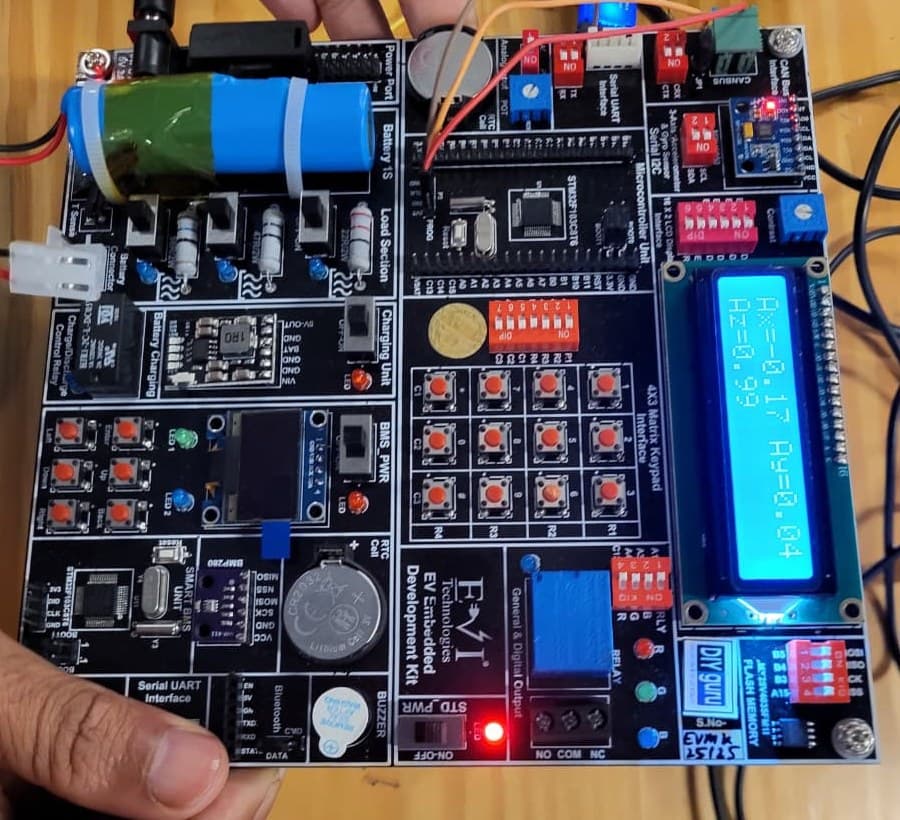
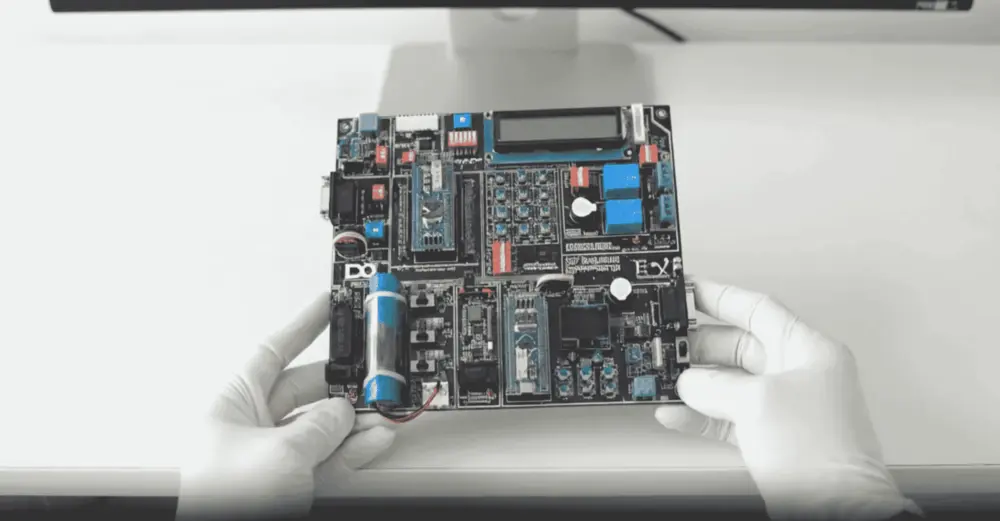
EV Embedded Development Kit board

Practise on real hardware

EV Embedded Development Kit

  • STM32 controller and Smart BMS unit
  • CAN, UART, I2C, SPI and Bluetooth
  • Sensors, LCD, OLED and motor control
  • 15+ guided experiments at home

₹10,000 + GST

See what's in the kit

Trainer Support

Stuck on a concept? Ask a trainer.

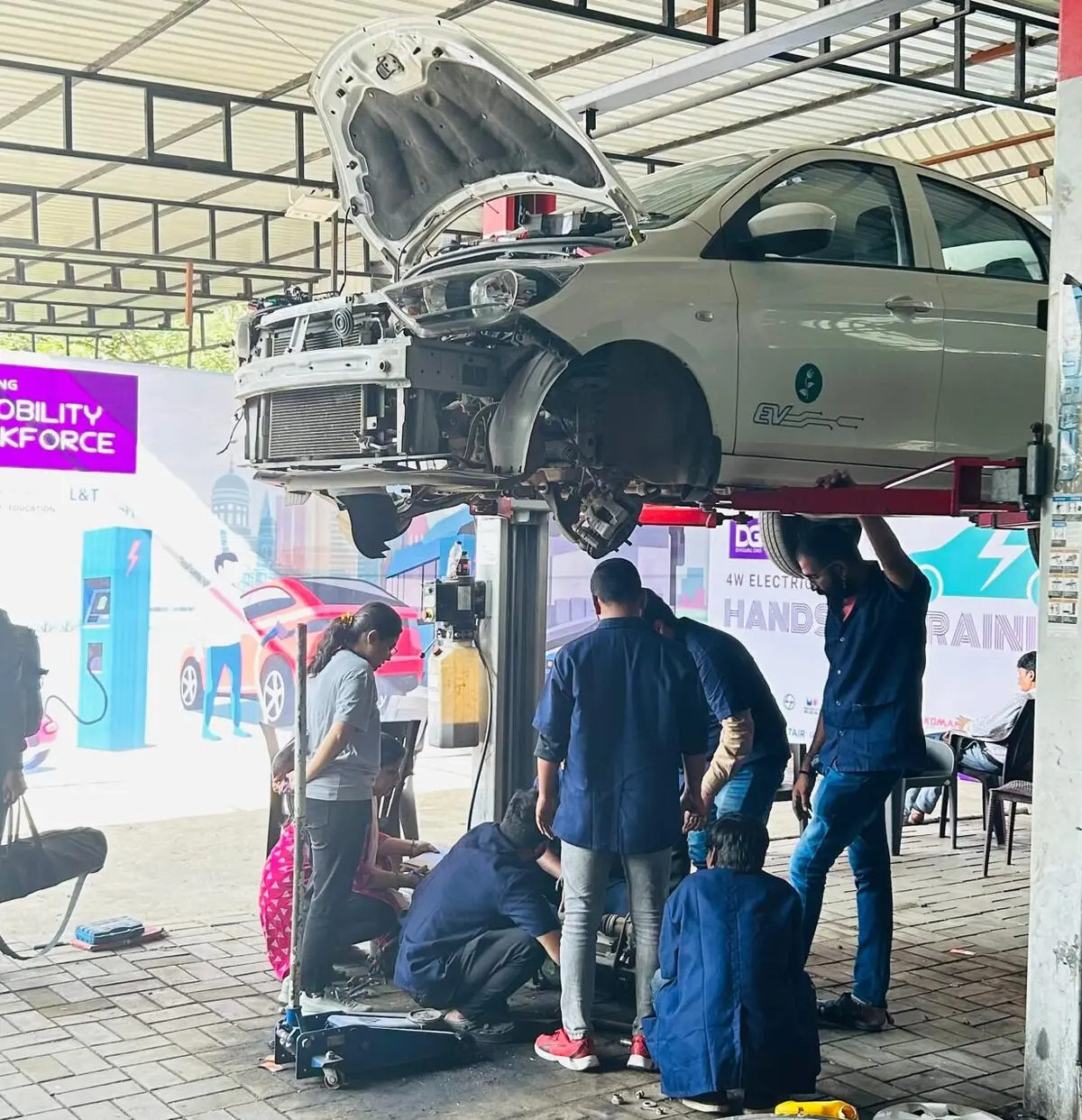
DIYguru trainer working with learners

Beginner questions are welcome in the course Q&A on the portal, including MATLAB syntax errors, Simulink blocks that will not connect and QSS or ADVISOR installation problems. Trainers answer there, and live doubt-clearing sessions are held when scheduled.

  • Ask questions in the course Q&A, right next to the lesson
  • Trainers answer on the portal — you're notified when they reply
  • Assignments and projects you submit are reviewed by a trainer
  • Live doubt-clearing sessions when they're scheduled for the course

Bharat eMobility Recruitathon

Meet the EV industry in person

The Bharat eMobility Recruitathon brings our learners face to face with companies hiring across the EV industry. Watch the Delhi and Pune chapters.

Delhi chapterRecruitathon
Pune chapterRecruitathon

Reviews

3.7 ★ from 6 student reviews

  • ★★★★★

    This course give lot of things

    Guruprasad S. · Aug 2026

  • ★★★★★

    good

    Anuvind K. · Jul 2026

  • ★★★★★

    very informative

    Shreyash S. · Jan 2026

  • ★★★★★

    The main Simulink Simulation lecture needs to be improved . The Matlab scripting part was good

    Ayush Y. · Aug 2026

  • ★★★★★

    the entire course content is miss matching with 1 video to another video unable to connect the dots but some concepts are explained good but not every concept is explained which is not good for basic learning of mathlab. even in the course itself they are telling to learn from mathlab learning site which is free course but then why they are charging this much amount which is not worth at all i hope they recreate the content with out missing the resources and video content really frustrating.

    Tarun A. · Oct 2026

  • ★★★★★

    course content quality gets worse after simulink video series starts. instructer has no idea and in-depth knowledge. simply reciting what is written in slide word by word like we are in KG. misguided lectures on simulation of ev vehicle with no clarity. assignment expectations is very high compared to course quality. wish i could get refund.

    Vaibhav · Apr 2026

FAQ

Frequently asked questions

I have never used MATLAB. Is this course suitable?
Yes. Modules 1 to 3 start with the MATLAB environment, syntax, operators, loops, matrices, functions and plotting before Simulink and vehicle modelling begin.
How is this different from the Advanced Certification Course in EV Design & Simulation using MATLAB?
This course teaches the tools themselves: MATLAB, Simulink, QSS and ADVISOR. The advanced course uses those tools to model inverters, DC-DC converters, Simscape batteries and motors, and BMS functions. Many learners take this one first.
Which software do I need?
MATLAB and Simulink, which require a licence (student or trial). QSS Toolbox and ADVISOR are free downloads, and the course shows how to install both.
What assessments are included?
There are quizzes with solutions after the first three modules, a MATLAB scripting assignment, a final quiz, and a DIY project comparing EV models in Simulink, QSS and ADVISOR. Assignments and the project are submitted from the lesson in the course player and reviewed by trainers.
Which programmes include this course?
It is a building block of the Advanced Nanodegree in EV Design, Simulation & Analysis (EE), the Advanced Nanodegree in Automotive EV Design & Dynamics (Mechanical), the Advanced Nanodegree in ADAS & AUTOSAR, the Advanced Nanodegree in Battery & BMS, the Professional Certification Programme in EV Electrical Design & Simulation, and the PG Certificate Programme in EV & Embedded Systems.
Will I get a certificate?
On completing all lessons and the required quizzes/assignments, you receive a digitally signed certificate that anyone can verify through its public verification link or QR code.
How is the course delivered?
As recorded video lessons on the portal that you watch at your own pace, with quizzes, assignments and a project where the course includes them. Your progress is saved lesson by lesson.
What if I get stuck?
Ask in the course's Q&A on the portal — a trainer answers there. Live doubt-clearing sessions are added when they are scheduled for the course.
What certificate will I get?
A digitally signed certificate of completion once you finish the lessons and the required quizzes and assignments. Each certificate has a public verification link and QR code anyone can check.

Talk to a counsellor

Questions about EV डिज़ाइन के लिए MATLAB-SIMULINK, QSS और Advisor Toolbox में सर्टिफ़िकेशन कोर्स?

Leave your details — a counsellor will call you about the syllabus, fees, EMI and certificates.

Technical Expertise You Will Gain

Where EV डिज़ाइन के लिए MATLAB-SIMULINK, QSS और Advisor Toolbox में सर्टिफ़िकेशन कोर्स can take you

The roles these skills are used in, what you'll be able to do, and the parts of the industry that need it.

Key Job Roles

  • →Graduate Engineer Trainee – Vehicle Simulation
  • →EV Simulation Intern / Trainee
  • →Test Data Analyst – Automotive
  • →Research Assistant – EV Modelling

Skill Sets

  • →Write MATLAB scripts using arrays, loops, conditionals, functions and strings
  • →Visualise engineering data with line, bar, subplot, contour and surface plots
  • →Build and parameterise an EV powertrain model in Simulink
  • →Set up and run EV studies in the QSS Toolbox and ADVISOR, and extract their results

Where These Skills Are Used

  • →Electric two-wheeler, three-wheeler and car development
  • →Automotive testing and validation
  • →Engineering services and simulation outsourcing
  • →Academic research and technical education
  • →Battery and BMS development

Government-Certified · Industry-Endorsed · Learner-Approved

Globally recognised credentials

ASDC (Govt of India)

ASDC (Govt of India)

Automotive Skills Development Council — recognised by major OEMs worldwide.

AICTE NEAT

AICTE NEAT

National Educational Alliance for Technology — issued under AICTE's premium learning ecosystem.

Learner Stories

What our learners say

The hardware-first approach made all the difference. Came in from a generalist electronics background; the BMS and motor-drive modules gave me concrete vocabulary I could carry into Infineon interviews.

Souvik Hazra
Souvik Hazra
Senior Manager · Infineon Technologies

Industry-grade depth without the academic ivory tower. The MATLAB Simulink + capstone defence prepared me for exactly the kind of cross-functional EV problems we solve at Cummins.

Sharad Yeola
Sharad Yeola
Application Controls Lead · Cummins Inc.

Started with electronics, walked into a BMS role in Germany. The applied projects + mentor reviews are what carried me through — the certifications opened the door, the depth got me hired.

Jagatjit Barik
Jagatjit Barik
Sr. R&D Engineer (BMS xEV) · Mercedes-Benz

Ready to start EV डिज़ाइन के लिए MATLAB-SIMULINK, QSS और Advisor Toolbox में सर्टिफ़िकेशन कोर्स?

Recorded lessons at your own pace · trainer doubt support · verifiable certificate on completion.


Accreditations

Programs Recognised by Govt. Bodies & Industries

ASDC
AICTE NEAT
SIMOPS Saudi
DSD Malaysia
UK Government
UACH
Tata Technologies
ADYPU
UDYOGA Karnataka
Ola Mobility Institute