emobility.academy
Curriculum reviewed by IIT Faculty · Continue learning

Embedded Systems Certification Course: Embedded C, 8051, Arduino & Simulation

This beginner course covers embedded systems in two tracks: the 8051 microcontroller (architecture, addressing modes, instruction set, timers, interrupts and Embedded C in Keil, including LED and LCD programs) and Arduino programming simulated in Tinkercad. In between, it explains UART, RS232, I2C, SPI and CAN, and the


19.5+ hours
94 video lessons
11 modules
beginner
English
Recognised & Certified by
ASDC
AICTE NEAT

Course Curriculum

97 lessons across 11 modules

This beginner course covers embedded systems in two tracks: the 8051 microcontroller (architecture, addressing modes, instruction set, timers, interrupts and Embedded C in Keil, including LED and LCD programs) and Arduin

1
Module 1

Welcome to the Course!

1 lesson
  1. 1

    Sign up at eMobility.careers to get exclusive EV job Opportunities!

    text

2
Module 2

Module 1: Introduction to the Embedded Systems

5 lessons
  1. 1

    Topic 1: Introduction to Embedded Systems - Microprocessor & Microcontroller

    16 min· free trial

  2. 2

    Topic 2: Different types of Embedded Processors Part-1

    21 min· free trial

  3. 3

    Topic 3: Different Types of Embedded Processors Part-2

    13 min

  4. 4

    Topic 4: Classification of Microcontrollers

    20 min

  5. 5

    Topic 5: Elements of Microcontroller

    18 min

3
Module 3

Module 2: Essentials of 8051 Microcontroller

5 lessons
  1. 1

    Topic 1: 8051 Microcontroller & its Pin Diagram

    16 min

  2. 2

    Topic 2: 8051 Pin diagram in detail

    9 min

  3. 3

    Topic 3: Architechture of 8051 Microcontroller Part-1

    16 min

  4. 4

    Topic 4: Architechture of 8051 Microcontroller Part-2

    17 min

  5. 5

    Topic 5: Architechture of 8051 Microcontroller Part-3

    16 min

4
Module 4

Module 3: Addressing Modes & Instruction Set of 8051 Microcontroller

6 lessons
  1. 1

    Topic 1: Addressing Modes of 8051

    19 min

  2. 2

    Topic 2: Data Transfer Instruction Set of 8051

    14 min

  3. 3

    Topic 3: Logical Instructions Set of 8051

    16 min

  4. 4

    Topic 4: Boolean & Airthematic Instruction Set of 8051

    13 min

  5. 5

    Topic 5: BCD numbers & Sample Programs

    18 min

  6. 6

    Topic 6: Program Branching Instruction Set of 8051

    16 min

5
Module 5

Module 4: Timers, TCON Register & Interrupts in 8051 Microcontroller

5 lessons
  1. 1

    Topic 1: Timers & Counters in 8051

    17 min

  2. 2

    Topic 2: Modes of Timers & TMOD Register

    15 min

  3. 3

    Topic 3: TCON Register & Sample Program

    18 min

  4. 4

    Topic 4: Sample Programs & Interrupt

    17 min

  5. 5

    Topic 5: Interrupts Contd. & Serial Communication in 8051

    19 min

6
Module 6

Module 5: Embedded C Programming & Embedded Applications for Development

11 lessons
  1. 1

    Topic 1: C Language

    10 min

  2. 2

    Topic 2: 8051 Programming using Keil Software

    16 min

  3. 3

    Topic 3: Data Types in C & 8051 C Programs

    14 min

  4. 4

    Topic 4: 8051 C Programming Part-1

    16 min

  5. 5

    Topic 5: 8051 C Programming Part-2

    9 min

  6. 6

    Topic 6: Software Requirements for 8051 Programming - Keil, USBap & ProgISP

    15 min

  7. 7

    Topic 7: Step-by-Step Guide to write 8051 Program- for LED Control Part-1

    17 min

  8. 8

    Topic 8: Step-by-Step Guide to write 8051 Program- for LED Control Part-2

    12 min

  9. 9

    Topic 9a: LCD Interfacing with 8051

    12 min

  10. 10

    Topic 9b: LCD Interfacing - LCD Common Codes

    18 min

  11. 11

    Topic 9c: LCD Interfacing Program

    18 min

7
Module 7

Module 6: Communication Protocols for Embedded Systems

13 lessons
  1. 1

    Topic 1: Introduction to Communication Protocols - Synchronous & Asynchronous Protocols

    21 min

  2. 2

    Topic 2: Types of Communication Topologies & Exploring UART & RS232

    19 min

  3. 3

    Topic 3: UART Explained.

    15 min

  4. 4

    Topic 4: I2C Communication Protocol Part 1

    13 min

  5. 5

    Topic 5: I2C Communication Protocol Part 2

    17 min

  6. 6

    Topic 6: I2C Communication Protocol Part 3

    15 min

  7. 7

    Topic 7: SPI Communication Protocol Part 1

    16 min

  8. 8

    Topic 8: SPI Communication Protocol Part 2

    17 min

  9. 9

    Topic 9: SPI Communication Protocol Part 3

    15 min

  10. 10

    Topic 10: CAN Communication Protocol Part 1

    17 min

  11. 11

    Topic 11: CAN Communication Protocol Part 2

    15 min

  12. 12

    Topic 12: CAN Communication Protocol Part 3

    15 min

  13. 13

    Topic 13: CAN Communication Protocol Part 4

    17 min

8
Module 8

Module 7: Starting with Arduino for Embedded Systems

10 lessons
  1. 1

    topic 1: Introduction to Arduino

    4 min

  2. 2

    topic 02: Basics of Microcontroller

    7 min

  3. 3

    topic 3: Differences of Microcontroller and Microprocessor

    4 min

  4. 4

    Topic 4: Arduino Pin Diagram

    5 min

  5. 5

    Topic 5: Installation of Arduino IDE

    4 min

  6. 6

    Topic 6: Exploring Arduino IDE & Importing Arduino into Simulator (Tinkercad)

    10 min

  7. 7

    Topic 7: Working with Tinkercad

    8 min

  8. 8

    Topic 8: Designing an Arduino LED Sketch in Tinkercad

    10 min

  9. 9

    Topic 9: Writing & Simulating Arduino LED Code in the IDE and Tinkercad

    9 min

  10. 10

    Topic 10: Using the Serial Monitor in Tinkercad for Arduino Data Display & Debugging

    8 min

9
Module 9

Module 8: Simulations with Arduino Based Development For Embedded Systems

16 lessons
  1. 1

    Topic 1: Introduction to Arduino IDE Programming

    13 min

  2. 2

    Topic 2: Declaring the Variable

    9 min

  3. 3

    Topic 3: Data Types of Variables

    11 min

  4. 4

    Topic 4: Arithmetic Operators - Part 1

    11 min

  5. 5

    Topic 5: Arithmetic Operators - Part 2

    8 min

  6. 6

    Topic 6: Excercise based on previous modules

    7 min

  7. 7

    Topic 7: Conditional Statements - 'If' & 'If else' Statements

    14 min

  8. 8

    Topic 8: Numbers

    12 min

  9. 9

    Topic 9: Functions

    10 min

  10. 10

    Topic 10: Creating Arduino LED Blinking Program in Tinkercad - Part 1

    12 min

  11. 11

    Topic 11: Creating Arduino LED Blinking Program in Tinkercad - Part 2

    11 min

  12. 12

    Topic 12: Loop Statements - 'While' Loop

    9 min

  13. 13

    Topic 13: Loop Statements - For Loop

    4 min

  14. 14

    Topic 14: Implementing 'For' Loop & Array in Arduino LED Blinking Program - Part 1

    11 min

  15. 15

    Topic 15: Implementing 'For' Loop & Array in Arduino LED Blinking Program - Part 2

    7 min

  16. 16

    Topic 16: Adjusting LED Brightness

    9 min

10
Module 10

Module 9: Arduino based project development

23 lessons
  1. 1

    Topic 1: Using the Slide Switch in Arduino - Providing External Inputs

    9 min

  2. 2

    Topic 2: Understanding the Schematic View of Arduino LED Control Project

    8 min

  3. 3

    Topic 3: Using the Push Button for Providing Inputs

    9 min

  4. 4

    Topic 4: Writing & Simulating Arduino Sketch for Push Button To Control LED

    13 min

  5. 5

    Topic 5: Writing & Simulating Arduino Sketch For Slide Switch To Control LED

    14 min

  6. 6

    Topic 6: Understanding Potentiometer for Arduino Input Control

    9 min

  7. 7

    Topic 7: Using Potentiometer with Arduino - Code & Simulation

    13 min

  8. 8

    Topic 8: Using Potentiometer for LED Control in Arduino

    9 min

  9. 9

    Topic 9: Understanding LCD as a Feedback Device in Tinkercad

    8 min

  10. 10

    Topic 10: Interfacing LCD with Arduino

    10 min

  11. 11

    Topic 11: Writing Arduino Sketch for LCD Display

    10 min

  12. 12

    Topic 12: Simulating Arduino Sketch for LCD Display

    8 min

  13. 13

    Topic 13: Project - Interfacing LCD and Push Button with Arduino

    9 min

  14. 14

    Topic 14: Overview of Sensors for Arduino in Tinkercad

    8 min

  15. 15

    Topic 15: Understanding the Photoresistor Sensor- Working & Specifications

    10 min

  16. 16

    Topic 16: Writing & Simulating an Arduino Sketch for a Photoresistor Sensor

    8 min

  17. 17

    Topic 17: Photoresistor-Based LED Control Arduino Project

    9 min

  18. 18

    Topic 18: Understanding Ultrasonic Sensor- Working & Specifications

    10 min

  19. 19

    Topic 19: Interfacing & Writing Arduino Sketch for Ultrasonic Sensor

    10 min

  20. 20

    Topic 21: Using Transistor to Control an LED with Arduino

    15 min

  21. 21

    Topic 22: Introduction to Motor Control with Arduino

    10 min

  22. 22

    Topic 23: Understanding H-Bridge for Motor Direction Control

    3 min

  23. 23

    Topic 24: Implementing H-Bridge Motor Control with Arduino

    17 min

11
Module 11

DIY Projects:

2 lessons
  1. 1

    Project: Enhanced Electric Vehicle (EV) Charging Station Management System

    assignment

  2. 2

    Congratulations on Successfully Completing the Course!

    text

Earn a certificate

Add this credential to your resume — and watch employers ask about it

Every completing learner receives a joint certificate carrying ASDC (Government of India) and AICTE NEAT recognition. The certificate carries a public verification code recruiters can validate in seconds via emobility.careers.
  • Issued when you complete the lessons and required quizzes and assignments
  • Digitally signed, with a public verification link and QR code
  • Anyone — an employer or a college — can check it in seconds
  • Shows the course title and the skills it covers
Sample emobility.academy certificate

System Requirements

Hardware & software you'll need

What to have ready before you start this course.

Hardware

  • A Windows laptop or desktop for Keil and the Arduino IDE
  • Stable internet connection for Tinkercad, which runs in the browser
  • Optional: an 8051 development board with a USBasp programmer, or an Arduino Uno with basic sensors, if you want to run programs on hardware (bought separately; not included)

Software

  • Keil µVision for 8051 (free evaluation version)
  • ProgISP with USBasp drivers for flashing 8051 boards (free)
  • Arduino IDE (free)
  • Tinkercad Circuits (free, browser-based)

Associated Skills

What you'll be able to put on your résumé

Microcontroller architecture8051 instruction set8051 timers and interruptsKeil Embedded CLCD interfacingUART and RS232I2C and SPI basicsCAN protocol basicsArduino programmingTinkercad simulationSensor interfacingH-bridge motor control

DIY Projects Included

Hardware-grounded projects in your portfolio

Work you build while learning — submitted in the course and reviewed by a trainer, and yours to show afterwards.

🔌
Project 01

EV charging station management system

Complete the course project: simulate a charging station controller in Tinkercad that reads inputs, shows status on an LCD and controls outputs, combining the Arduino skills from Modules 7 to 9.

📟
Project 02

8051 LCD message display

Write an Embedded C program in Keil to initialise a 16x2 LCD using the common command codes and display a message, following the LCD interfacing lessons.

📏
Project 03

Ultrasonic distance alert

Interface an ultrasonic sensor with Arduino in Tinkercad, print the measured distance on the serial monitor and switch on an LED when an object comes too close.

Course Benefits

What you'll get out of it

Two audiences. Two angles. Pick the one that maps to where you are today.

For Working Professionals

  • Start embedded work from scratch
    Gives engineers from mechanical or electrical backgrounds a structured route into microcontrollers and Embedded C.
  • Protocol overview in one place
    UART, RS232, I2C, SPI and CAN are explained together, so you understand how vehicle and sensor networks differ.
  • Prototype without hardware
    Tinkercad simulation lets you test sensor and motor ideas before buying components.

For Students & Freshers

  • Matches the 8051 syllabus
    Pin diagram, architecture, addressing modes, instruction set, timers and interrupts are covered in the order most universities teach them.
  • Two platforms, one course
    You learn both the classic 8051 and Arduino, which helps in labs, projects and interviews.
  • Sensor and motor projects
    Push buttons, potentiometers, LCD, photoresistor, ultrasonic sensor and H-bridge projects build practical confidence.
  • Entry point to several programmes
    This course is the starting block for the embedded and ADAS programmes.

What this course includes

Everything you get when you enrol

  • - 9 Modules
  • - 95 Lessons
  • - 19.79 hours of Video Content
  • - 1 Project Assignment
  • - Certificate of Completion.

Who can take this course?

If any of these sound like you — you'll thrive here

  • First- and second-year engineering or diploma students starting embedded systems with no prior microcontroller experience
  • Students whose university syllabus includes the 8051 microcontroller and who want lab-style practice in Keil
  • Mechanical, automobile or electrical engineers moving into EV electronics who need an embedded foundation
  • Hobbyists who want to learn Arduino programming and sensor interfacing without buying hardware first
  • Learners starting the Embedded Systems, ADAS & AUTOSAR or EV & Embedded Systems programmes
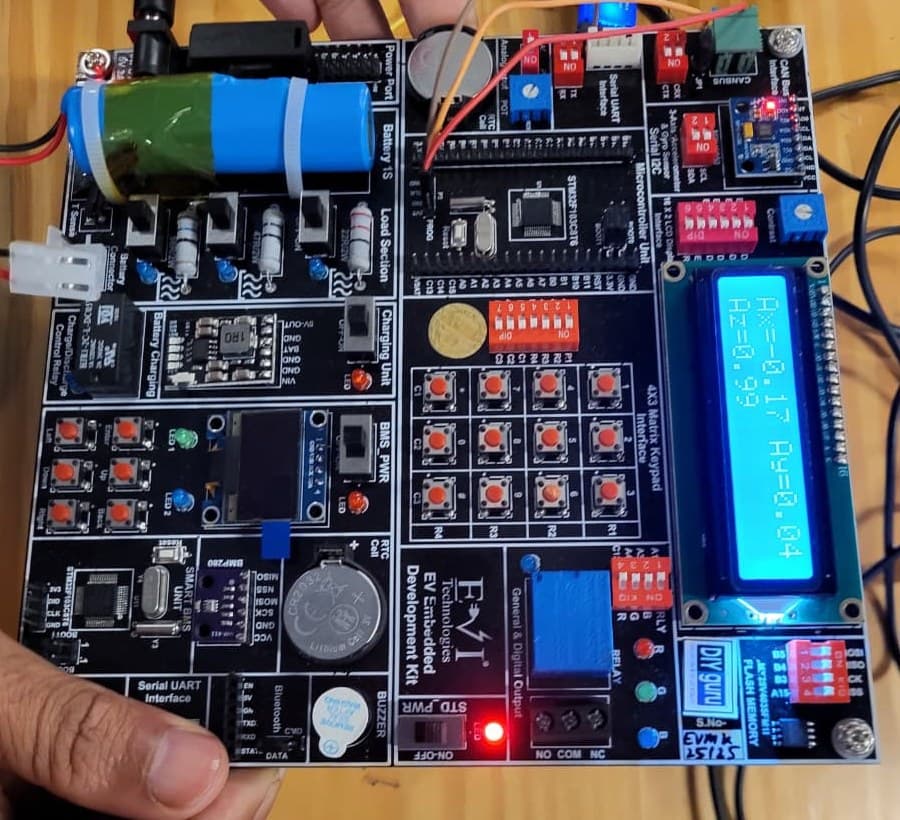
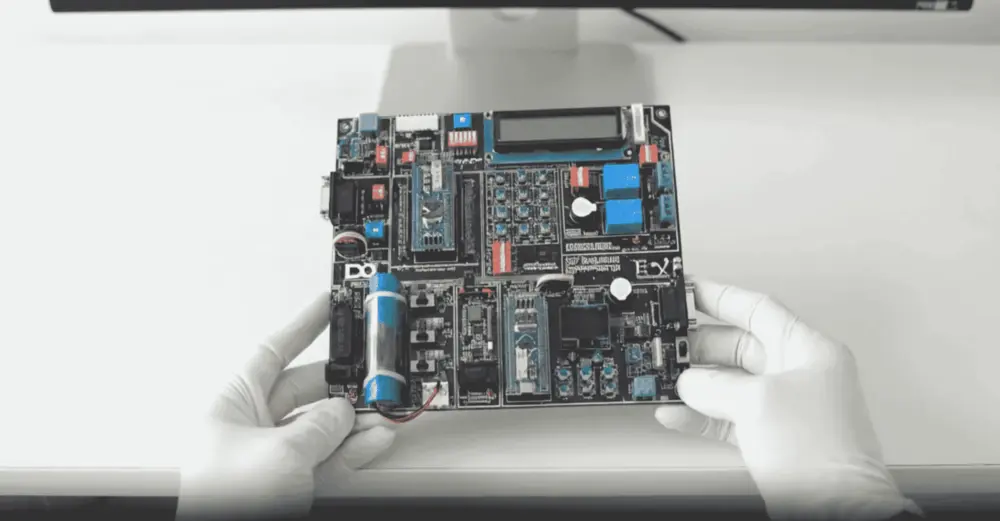
EV Embedded Development Kit board

Practise on real hardware

EV Embedded Development Kit

  • STM32 controller and Smart BMS unit
  • CAN, UART, I2C, SPI and Bluetooth
  • Sensors, LCD, OLED and motor control
  • 15+ guided experiments at home

₹10,000 + GST

See what's in the kit

Trainer Support

Stuck on a concept? Ask a trainer.

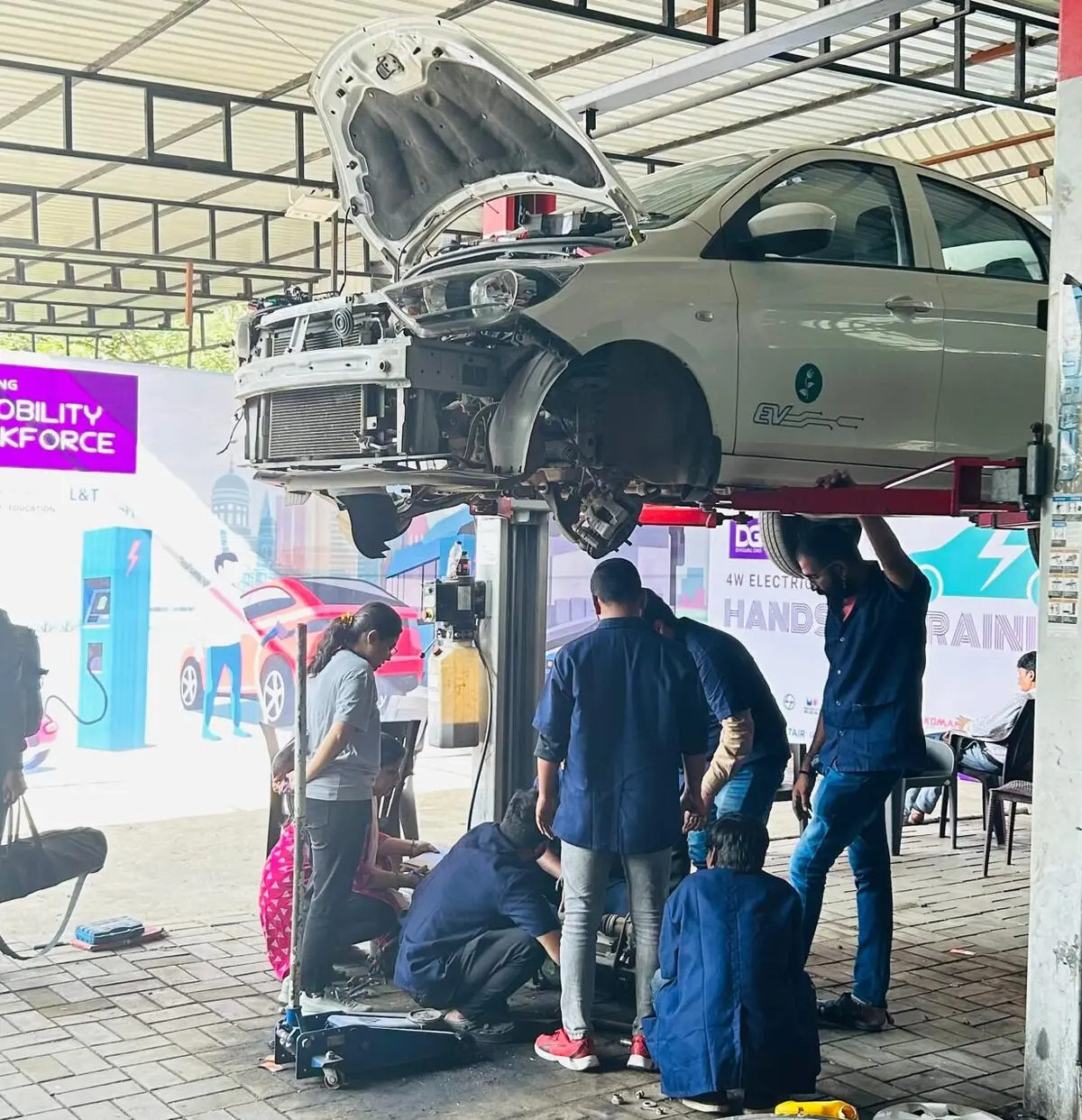
DIYguru trainer working with learners

Ask doubts on 8051 programs, Keil build errors, protocol concepts or Tinkercad simulations in the course Q&A on the portal; a trainer will answer there. The EV charging station project you submit from the course player is reviewed by a trainer.

  • Ask questions in the course Q&A, right next to the lesson
  • Trainers answer on the portal — you're notified when they reply
  • Assignments and projects you submit are reviewed by a trainer
  • Live doubt-clearing sessions when they're scheduled for the course

Bharat eMobility Recruitathon

Meet the EV industry in person

The Bharat eMobility Recruitathon brings our learners face to face with companies hiring across the EV industry. Watch the Delhi and Pune chapters.

Delhi chapterRecruitathon
Pune chapterRecruitathon

FAQ

Frequently asked questions

Do I need any prior programming knowledge?
No. The course introduces C and Arduino programming from the basics, including variables, data types, conditions, loops and functions.
Do I need to buy a board?
No. The Arduino track uses Tinkercad simulation, and 8051 programs can be built and checked in Keil. If you want to run code on hardware, you can buy an 8051 board with a USBasp programmer or an Arduino Uno separately; no kit is included.
Which software is used?
Keil µVision for 8051, ProgISP with USBasp for flashing, the Arduino IDE and Tinkercad Circuits in the browser.
How deep does it go into communication protocols?
The protocols module explains UART, RS232, I2C, SPI and CAN conceptually, including topologies and frame basics. Hands-on protocol programming on ARM boards is covered in the advanced communication course in the Embedded Systems programmes.
What is the final project and how is the certificate issued?
You build an EV charging station management system in simulation and submit it from the course player for trainer review. After completing lessons and required work, you receive a digitally signed certificate verifiable through a public link or QR code.
Which programmes include this course?
It is part of the Advanced Nanodegree in Embedded Systems, the Advanced Nanodegree in ADAS & AUTOSAR, the Professional Certification Programme in EV Embedded Systems and the PG Certificate Programme in EV & Embedded Systems.
How is the course delivered?
As recorded video lessons on the portal that you watch at your own pace, with quizzes, assignments and a project where the course includes them. Your progress is saved lesson by lesson.
What if I get stuck?
Ask in the course's Q&A on the portal — a trainer answers there. Live doubt-clearing sessions are added when they are scheduled for the course.
What certificate will I get?
A digitally signed certificate of completion once you finish the lessons and the required quizzes and assignments. Each certificate has a public verification link and QR code anyone can check.

Talk to a counsellor

Questions about Embedded Systems Certification Course: Embedded C, 8051, Arduino & Simulation?

Leave your details — a counsellor will call you about the syllabus, fees, EMI and certificates.

Technical Expertise You Will Gain

Where Embedded Systems Certification Course: Embedded C, 8051, Arduino & Simulation can take you

The roles these skills are used in, what you'll be able to do, and the parts of the industry that need it.

Key Job Roles

  • →Embedded Systems Trainee
  • →Junior Firmware Developer
  • →Electronics Lab and Testing Technician
  • →IoT Prototyping Associate
  • →EV Electronics Service Trainee

Skill Sets

  • →Explain 8051 architecture, pin functions, addressing modes and instruction groups
  • →Program 8051 timers, TMOD/TCON registers and interrupts in Embedded C using Keil
  • →Interface an LCD with both 8051 and Arduino
  • →Compare UART, RS232, I2C, SPI and CAN in terms of topology, timing and use cases
  • →Write and simulate Arduino sketches using inputs, sensors, LCD and the serial monitor in Tinkercad
  • →Control DC motor direction with an H-bridge driven by Arduino

Where These Skills Are Used

  • →EV electronics and charging infrastructure
  • →Automotive and two-wheeler electronics
  • →IoT and smart devices
  • →Industrial control and instrumentation
  • →Consumer electronics

Government-Certified · Industry-Endorsed · Learner-Approved

Globally recognised credentials

ASDC (Govt of India)

ASDC (Govt of India)

Automotive Skills Development Council — recognised by major OEMs worldwide.

AICTE NEAT

AICTE NEAT

National Educational Alliance for Technology — issued under AICTE's premium learning ecosystem.

Learner Stories

What our learners say

The hardware-first approach made all the difference. Came in from a generalist electronics background; the BMS and motor-drive modules gave me concrete vocabulary I could carry into Infineon interviews.

Souvik Hazra
Souvik Hazra
Senior Manager · Infineon Technologies

Industry-grade depth without the academic ivory tower. The MATLAB Simulink + capstone defence prepared me for exactly the kind of cross-functional EV problems we solve at Cummins.

Sharad Yeola
Sharad Yeola
Application Controls Lead · Cummins Inc.

Started with electronics, walked into a BMS role in Germany. The applied projects + mentor reviews are what carried me through — the certifications opened the door, the depth got me hired.

Jagatjit Barik
Jagatjit Barik
Sr. R&D Engineer (BMS xEV) · Mercedes-Benz

Ready to start Embedded Systems Certification Course: Embedded C, 8051, Arduino & Simulation?

Recorded lessons at your own pace · trainer doubt support · verifiable certificate on completion.


Accreditations

Programs Recognised by Govt. Bodies & Industries

ASDC
AICTE NEAT
SIMOPS Saudi
DSD Malaysia
UK Government
UACH
Tata Technologies
ADYPU
UDYOGA Karnataka
Ola Mobility Institute