emobility.academy
★ 4.7 from 9 student reviews · Curriculum reviewed by IIT Faculty · Continue learning
4.7 / 5 — 9 student reviews

Certification Course in Automotive Sketching and Drawing

A hand-skills course on drawing cars: ground line and wheels, outline and daylight opening (DLO), shutlines, reflections and shading in side view, then marker rendering in layers, then 3D perspective sketches with front views and realistic wheels. It is for anyone who wants to communicate vehicle design ideas on paper
34 video lessons
3 modules
beginner
English
Recognised & Certified by
ASDC
AICTE NEAT

Course Curriculum

34 lessons across 3 modules

A hand-skills course on drawing cars: ground line and wheels, outline and daylight opening (DLO), shutlines, reflections and shading in side view, then marker rendering in layers, then 3D perspective sketches with front

1
Module 1

Module 1: Pen, Paper & Precision: The Art of Automotive Sketching

11 lessons
  1. 1

    Topic 1: Introduction to Automotive Sketching & Drawing

    4 min· free trial

  2. 2

    Topic 2: Sketching Tools: What You Need to Get Started

    2 min· free trial

  3. 3

    Topic 3: Sketching the Ground Line and Basic Wheels

    3 min

  4. 4

    Topic 4: Creating the Car Outline & DLO (Daylight Opening)

    3 min

  5. 5

    Topic 5: Adding Design Elements & Surface Basics

    4 min

  6. 6

    Topic 6: Defining Door Shutlines

    3 min

  7. 7

    Topic 7: Creating Reflections

    3 min

  8. 8

    Topic 8: Creating Depth with Shading

    4 min

  9. 9

    Topic 9: Advanced Shading, Tips & Tricks, and Detailing Wheels

    4 min

  10. 10

    Topic 10: Applying Final Sketch Touches

    4 min

  11. 11

    Topic 11: Adding Personal & Additional Touches

    6 min

2
Module 2

Module 2: Using Marker Renders – Bringing Your Sketches to Life

12 lessons
  1. 1

    Topic 1: Introduction

    4 min

  2. 2

    Topic 2: Gathering the Tools You Need

    6 min

  3. 3

    Topic 3: Building the Skills You Need

    2 min

  4. 4

    Topic 4: Understanding Marker Basics

    3 min

  5. 5

    Topic 5: Creating Your Base Sketch

    3 min

  6. 6

    Topic 6: Applying Layer 1 – Base Tone Rendering

    3 min

  7. 7

    Topic 7: Applying Layer 2 – Mid Tone Shading

    3 min

  8. 8

    Topic 8: Applying Layer 3 – Highlight & Depth

    2 min

  9. 9

    Topic 9: Applying Layer 4 – Shadow & Contrast

    2 min

  10. 10

    Topic 10: Details Layer – Enhancing Fine Elements

    8 min

  11. 11

    Topic 11: Fixing Mistakes & Refining Lines

    6 min

  12. 12

    Topic 12: Summary & Learnings

    5 min

3
Module 3

Module 3: In 3D – Bringing Depth and Perspective to Your Automotive Sketches

11 lessons
  1. 1

    Topic 1: Introduction & Tools You Need

    2 min

  2. 2

    Topic 2: Key Essentials Before Getting Started

    2 min

  3. 3

    Topic 3: Setting the Ground & Wheel Placement

    3 min

  4. 4

    Topic 4: Building the Outline, DLO & Surface Basics

    4 min

  5. 5

    Topic 5: Sketching the Midsection, Front Perspective & Headlights

    3 min

  6. 6

    Topic 6: Adding 3D Design Elements & Door Shutlines

    3 min

  7. 7

    Topic 7: Applying Reflections & Shading – Side View

    7 min

  8. 8

    Topic 8: Applying Reflections & Shading – Front View

    3 min

  9. 9

    Topic 9: Drawing Realistic Wheels in 3D

    5 min

  10. 10

    Topic 10: Applying Final Touches

    8 min

  11. 11

    Topic 11: How to see & Fix Mistakes – Final Steps

    3 min

Earn a certificate

Add this credential to your resume — and watch employers ask about it

Every completing learner receives a joint certificate carrying ASDC (Government of India) and AICTE NEAT recognition. The certificate carries a public verification code recruiters can validate in seconds via emobility.careers.
  • Issued when you complete the lessons and required quizzes and assignments
  • Digitally signed, with a public verification link and QR code
  • Anyone — an employer or a college — can check it in seconds
  • Shows the course title and the skills it covers
Sample emobility.academy certificate

System Requirements

Hardware & software you'll need

What to have ready before you start this course.

Hardware

  • Sketching paper or marker pad and pencils / fineliner pens
  • Alcohol-based markers in grey tones for the marker-rendering module
  • Optional: a drawing tablet if you prefer to practise digitally

Software

  • None required — the course is taught with pen, paper and markers

Associated Skills

What you'll be able to put on your résumé

Side-view car sketchingWheel placement and proportionDaylight opening (DLO)Door shutlinesReflections on surfacesShading for depthMarker renderingLayered tone renderingPerspective drawing3D wheel drawingLine refinement

DIY Projects Included

Hardware-grounded projects in your portfolio

Work you build while learning — submitted in the course and reviewed by a trainer, and yours to show afterwards.

✏️
Project 01

Side-view sketch of your own car

Draw a complete side view from ground line to final touches, with DLO, shutlines, reflections and shaded wheels.

🖍️
Project 02

Four-layer marker render

Take your base sketch through base tone, mid tone, highlight and shadow layers, then add a details layer.

📐
Project 03

3D perspective concept

Sketch a front three-quarter view of an EV concept with headlights, door lines and realistic 3D wheels.

Course Benefits

What you'll get out of it

Two audiences. Two angles. Pick the one that maps to where you are today.

For Working Professionals

  • Communicate ideas faster
    A quick, clear sketch helps in design reviews and supplier discussions.
  • Understand stylists' language
    Learn terms like DLO, shutlines and reflections used in design studios.
  • Better visual sense
    Improve your eye for proportion and surface, useful in CAD work too.
  • Low setup cost
    Only paper, pens and markers are needed.

For Students & Freshers

  • Start a design portfolio
    Produce side-view, marker-rendered and perspective sketches.
  • Step-by-step method
    Each module builds from basic lines to finished renders.
  • Foundation for digital design
    Sketching skills carry into surface modelling tools later.
  • Learn to fix mistakes
    Lessons show how to spot and correct errors in your drawings.

What this course includes

Everything you get when you enrol

  • - 3 Modules
  • - 34 Lessons
  • - 2.81 hours of Video Content
  • - Certificate of Completion.

Who can take this course?

If any of these sound like you — you'll thrive here

  • School and college students interested in automotive or transportation design
  • Industrial and product design students building a sketching portfolio
  • Engineers who want to sketch vehicle ideas clearly in design discussions
  • Hobbyists who enjoy drawing cars and want a structured method
  • Learners planning to move on to digital surfacing such as Autodesk Alias
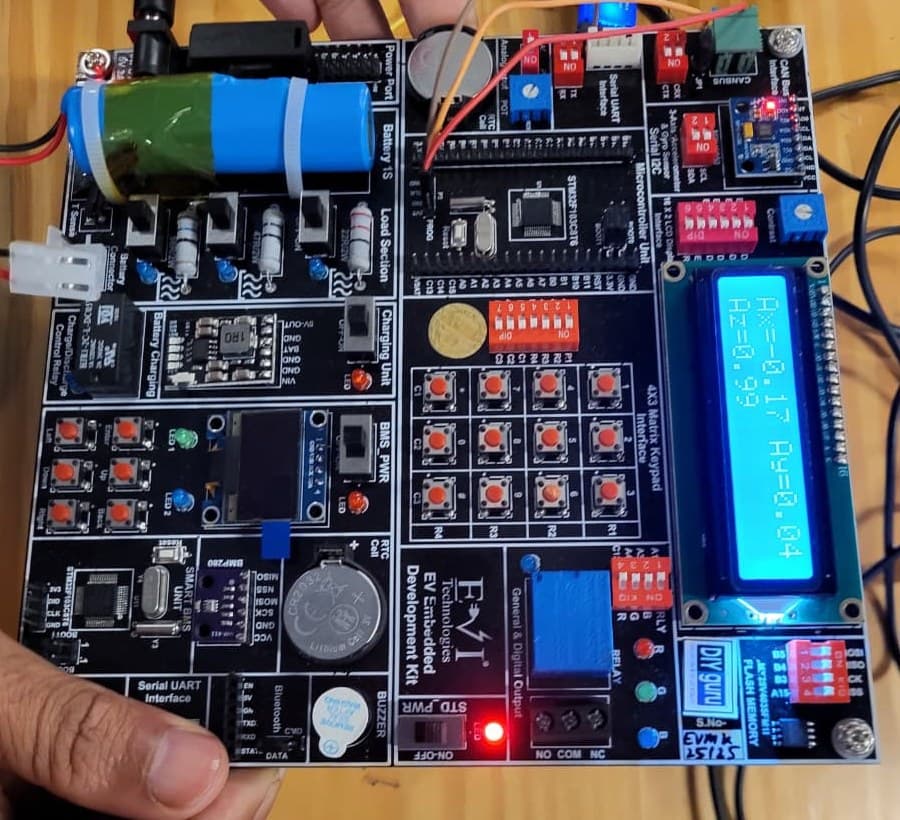
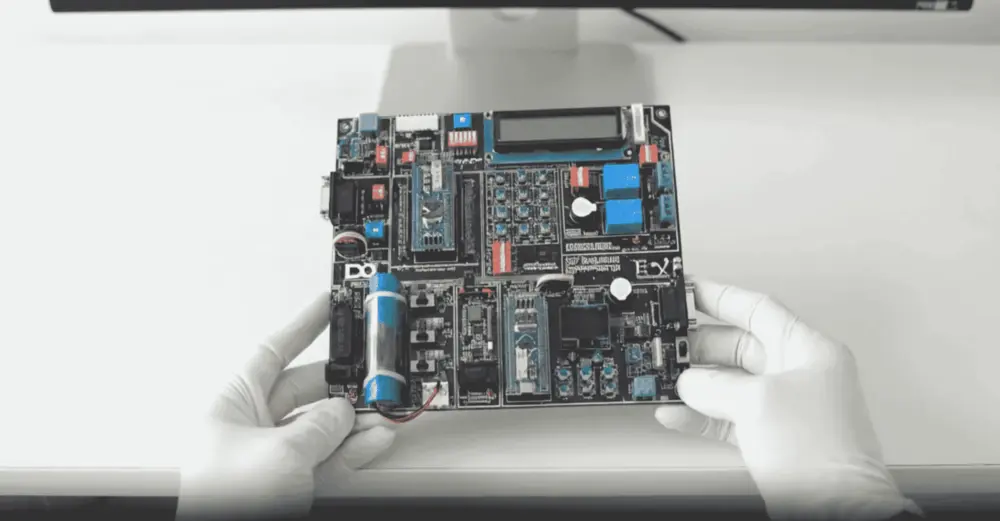
EV Embedded Development Kit board

Practise on real hardware

EV Embedded Development Kit

  • STM32 controller and Smart BMS unit
  • CAN, UART, I2C, SPI and Bluetooth
  • Sensors, LCD, OLED and motor control
  • 15+ guided experiments at home

₹10,000 + GST

See what's in the kit

Trainer Support

Stuck on a concept? Ask a trainer.

DIYguru trainer working with learners

Ask questions in the course Q&A, for example on getting the perspective right or marker streaks, and attach a photo of your sketch so the trainer can comment on it. Live doubt-clearing sessions are offered when scheduled.

  • Ask questions in the course Q&A, right next to the lesson
  • Trainers answer on the portal — you're notified when they reply
  • Assignments and projects you submit are reviewed by a trainer
  • Live doubt-clearing sessions when they're scheduled for the course

Bharat eMobility Recruitathon

Meet the EV industry in person

The Bharat eMobility Recruitathon brings our learners face to face with companies hiring across the EV industry. Watch the Delhi and Pune chapters.

Delhi chapterRecruitathon
Pune chapterRecruitathon

Reviews

4.7 ★ from 9 student reviews

  • ★★★★★

    gives good understanding of how to sketch the vehicles

    Nakul S. · Jun 2021

    Reviewed on courses.diyguru.org

  • ★★★★★

    Convenient. DIYguru’s trainers are patient, clearing any confusion and answering all questions without impacting the course timeline. DIYguru is the most convenient platform for those who want to grow in the fields of Industry 4.0 Revolution.

    JUDE I. · Apr 2020

    Reviewed on courses.diyguru.org

  • ★★★★★

    Easy to understand. Thank you to provide simple and easy training

    Mayur G. · Dec 2019

    Reviewed on courses.diyguru.org

  • ★★★★★

    Very Good. Trainers are really very good, customer support and teaching staff support is excellent. I have completed training from DIYguru and planning for some other courses as well. Go for it. Thank you team and Good Luck!

    Santhosh R. · Nov 2018

    Reviewed on courses.diyguru.org

  • ★★★★★

    Excellent. I had enrolled for the course from DIYguru. It was an online classroom course. DIYguru has great trainer with good experience in teaching. Training material prepared by DIYguru was also excellent.

    Sumanta S. · Oct 2018

    Reviewed on courses.diyguru.org

  • ★★★★★

    Great. DIYguru's certification was excellent. The trainer covered all the topics and had a great knowledge.

    Vikas S. · May 2018

    Reviewed on courses.diyguru.org

FAQ

Frequently asked questions

Do I need to be good at drawing already?
No. The course starts with the tools you need, then the ground line and basic wheels, and builds up step by step.
What materials do I need?
Paper, pencils or pens, and grey-tone markers for the rendering module. A drawing tablet is optional.
Is any software used?
No. This course is taught by hand. For digital surface modelling, see the Autodesk Alias course.
What does the course cover?
Three modules: side-view sketching with DLO, shutlines, reflections and shading; layered marker rendering; and 3D perspective sketching including front views and wheels.
How do I learn?
Through recorded video lessons on the portal that you follow at your own pace, drawing along with the instructor.
Will I get a certificate?
On completing all lessons and any required quizzes or assignments, you receive a digitally signed certificate that anyone can verify through its public verification link or QR code.
How is the course delivered?
As recorded video lessons on the portal that you watch at your own pace, with quizzes, assignments and a project where the course includes them. Your progress is saved lesson by lesson.
What if I get stuck?
Ask in the course's Q&A on the portal — a trainer answers there. Live doubt-clearing sessions are added when they are scheduled for the course.
What certificate will I get?
A digitally signed certificate of completion once you finish the lessons and the required quizzes and assignments. Each certificate has a public verification link and QR code anyone can check.

Talk to a counsellor

Questions about Certification Course in Automotive Sketching and Drawing?

Leave your details — a counsellor will call you about the syllabus, fees, EMI and certificates.

Technical Expertise You Will Gain

Where Certification Course in Automotive Sketching and Drawing can take you

The roles these skills are used in, what you'll be able to do, and the parts of the industry that need it.

Key Job Roles

  • →Automotive design intern / trainee
  • →Concept sketch artist (junior)
  • →Industrial design associate
  • →Design visualiser

Skill Sets

  • →Draw cars with correct proportion, wheel placement and ground line
  • →Define DLO, shutlines and design features on a side view
  • →Add reflections and shading to show surface form
  • →Render sketches with markers in progressive layers
  • →Sketch vehicles in 3D perspective with realistic wheels

Where These Skills Are Used

  • →Automotive and EV design studios
  • →Two-wheeler styling
  • →Industrial and product design
  • →Design education and visualisation

Government-Certified · Industry-Endorsed · Learner-Approved

Globally recognised credentials

ASDC (Govt of India)

ASDC (Govt of India)

Automotive Skills Development Council — recognised by major OEMs worldwide.

AICTE NEAT

AICTE NEAT

National Educational Alliance for Technology — issued under AICTE's premium learning ecosystem.

Learner Stories

What our learners say

The hardware-first approach made all the difference. Came in from a generalist electronics background; the BMS and motor-drive modules gave me concrete vocabulary I could carry into Infineon interviews.

Souvik Hazra
Souvik Hazra
Senior Manager · Infineon Technologies

Industry-grade depth without the academic ivory tower. The MATLAB Simulink + capstone defence prepared me for exactly the kind of cross-functional EV problems we solve at Cummins.

Sharad Yeola
Sharad Yeola
Application Controls Lead · Cummins Inc.

Started with electronics, walked into a BMS role in Germany. The applied projects + mentor reviews are what carried me through — the certifications opened the door, the depth got me hired.

Jagatjit Barik
Jagatjit Barik
Sr. R&D Engineer (BMS xEV) · Mercedes-Benz

Ready to start Certification Course in Automotive Sketching and Drawing?

Recorded lessons at your own pace · trainer doubt support · verifiable certificate on completion.

Accreditations

Programs Recognised by Govt. Bodies & Industries

ASDC
AICTE NEAT
SIMOPS Saudi
DSD Malaysia
UK Government
UACH
Tata Technologies
ADYPU
UDYOGA Karnataka
Ola Mobility Institute