Description
Autodesk Alias Course
Master Surface Modeling & Class-A Surfacing for Automotive Design
About the Course
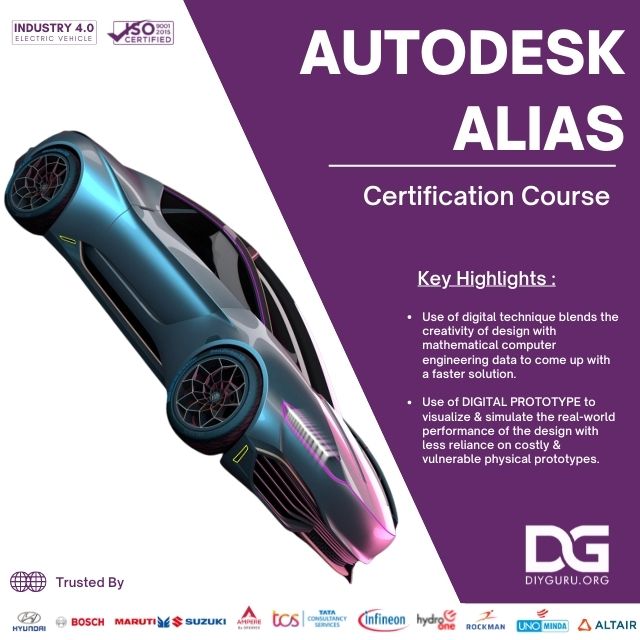
Autodesk Alias is a leading Computer-Aided Industrial Design (CAID) software used extensively by top automotive manufacturers around the world. This course by DIYguru is designed to empower learners to convert design ideas into high-quality 3D surface models, suitable for advanced styling and production processes.
Through hands-on training, you will gain the skills needed to work with concept sketches, create digital prototypes, and deliver Class-A surfaces that meet industry standards. Whether you’re a student or a professional, this program opens doors to careers in surface modeling and automotive design.
Course Features
-
6 Months Access
-
20+ Hours of Pre-recorded Lectures
-
Self-paced Learning
-
100% Online Program
-
Pre-recorded Modules + Live Doubt Clearing Sessions
-
Access on Desktop or Mobile Devices
-
Includes Project-Based Learning
Learning Outcomes
-
Learn to use digital techniques that blend design creativity with mathematical precision
-
Apply digital prototyping to simulate real-world performance with reduced reliance on physical models
-
Gain in-depth knowledge of Alias tools to design your own concept vehicle
-
Understand rendering techniques using Keyshot
-
Master surface continuity principles including G0, G1, G2 transitions
-
Build a strong portfolio through hands-on projects in product and automotive design
Course Syllabus
Introduction
Understand the differences between CAID, CAD, CAM, and CAE. Learn the role of Alias in the automotive industry and its integration in Product Lifecycle Management.
Software Installation
Download, install, and explore the Alias interface.
Working with Interface and Curves
Learn navigation tools, layer management, curve types, snapping, pivot settings, blend curves, and continuity parameters.
Curve Editing
Use tools for duplicating, sectioning, and refining curves.
Surface Creation and Editing
Understand surface terminologies, Bezier vs NURBS, continuity, tolerance settings, curve networks, smoothing techniques, and surface classifications.
Object Editing
Work on extending, offsetting, aligning, and smoothing surfaces, along with symmetry and lattice rig features.
Construction Tools
Use reference planes, locators, and support structures for modeling.
Diagnostic Shading
Learn model evaluation using shading tools for accurate design analysis.
Product and Conceptual Design
Apply design thinking to create models from sketch references. Use CV sculpting, trial-and-error modeling, and refinement techniques.
Automotive Design Project
Design a full-scale automobile using canvas-to-3D workflow, patch planning, watertight modeling, and final design detailing.
Eligibility Criteria
-
Diploma or B.Tech. in Mechanical / Automobile Engineering
-
Transportation, CAD, or Industrial Designers
-
Automobile enthusiasts seeking career transition into surface design
-
Anyone with basic knowledge of mathematics, physics, and computer skills
Technical Requirements
-
Desktop or laptop (preferred) with Autodesk Alias compatibility
-
High-speed internet (course also accessible on average-speed connections)
-
Ability to take notes and follow a structured learning path
-
Mobile-friendly access for flexibility
Certification
Upon successful completion of 100% of the course modules, you will receive a Competency Certificate in Autodesk Alias from DIYguru.
This certificate is valued by top employers such as Maruti Suzuki, Hyundai Motors, and Robert Bosch. Each certificate comes with a unique ID for online verification. Learners can access their certificates from their profile dashboard. For any queries, reach out to: [email protected]