emobility.academy
★ 4.8 from 10 student reviews · Curriculum reviewed by IIT Faculty · Continue learning
4.8 / 5 — 10 student reviews

CATIA V5 में सर्टिफ़िकेशन कोर्स – 3D मॉडलिंग और ड्राफ्टिंग

An introduction to CATIA V5 covering the interface, model tree and compass, sketching with constraints, Part Design features (pad, pocket, shaft, groove, holes, fillet, chamfer, draft, shell, mirror), measuring, Assembly Design with constraints, and 2D drafting with views, dimensions and annotations. It is for beginner
20 video lessons
7 modules
beginner
English
Recognised & Certified by
ASDC
AICTE NEAT

Course Curriculum

20 lessons across 7 modules

An introduction to CATIA V5 covering the interface, model tree and compass, sketching with constraints, Part Design features (pad, pocket, shaft, groove, holes, fillet, chamfer, draft, shell, mirror), measuring, Assembly

1
Module 1

मॉड्यूल 1: CATIA V5 का परिचय

2 lessons
  1. 1

    विषय 1: CATIA V5 के साथ शुरुआत

    <1 min· free trial

  2. 2

    विषय 2: एक्सरसाइज़ फ़ाइल्स का उपयोग कैसे करें - फ़ाइल्स डाउनलोड करें

    <1 min· free trial

2
Module 2

मॉड्यूल 2: CATIA V5 यूज़र इंटरफ़ेस और नेविगेशन

4 lessons
  1. 1

    विषय 1: CATIA V5 के साथ शुरुआत – इंटरफ़ेस, फ़ाइल क्रिएशन और सेटिंग्स

    11 min

  2. 2

    विषय 2: CATIA V5 वर्कस्पेस की व्याख्या – लेआउट और नेविगेशन

    17 min

  3. 3

    विषय 3: मॉडल ट्री, कम्पास और माउस कंट्रोल्स को जानना

    15 min

  4. 4

    विषय 4: CATIA में विज़ुअलाइज़ेशन और सिलेक्शन टूल्स

    15 min

3
Module 3

मॉड्यूल 3: CATIA में स्केचिंग तकनीकें

4 lessons
  1. 1

    विषय 1: स्केच से सॉलिड तक – संपूर्ण पार्ट डिज़ाइन वर्कफ़्लो

    7 min

  2. 2

    विषय 2: स्केच विकल्प और टूल्स

    20 min

  3. 3

    विषय 3: स्केच कर्व्स बनाना – Profile और Operation टूलबार

    18 min

  4. 4

    विषय 4: कंस्ट्रेंट्स लगाना और स्केच एनालिसिस करना

    16 min

4
Module 4

मॉड्यूल 4: 3D पार्ट डिज़ाइन की बुनियादी बातें

4 lessons
  1. 1

    विषय 1: 3D फ़ीचर्स बनाना – Pad, Pocket, Shaft, Groove और होल्स

    22 min

  2. 2

    विषय 2: एडवांस्ड फ़ीचर्स – Fillet, Chamfer, Draft और Shell टूल्स

    16 min

  3. 3

    विषय 3: मिररिंग और पार्ट डिज़ाइन पूरा करना – प्रैक्टिस सेशन

    13 min

  4. 4

    विषय 4: CATIA में मापन – डिस्टेंस, आइटम्स और इनर्शिया

    11 min

5
Module 5

मॉड्यूल 5: CATIA में असेंबली डिज़ाइन

2 lessons
  1. 1

    विषय 1: असेंबली बनाना – प्रोडक्ट फ़ाइल्स और पार्ट इन्सर्शन

    6 min

  2. 2

    विषय 2: असेंबली कंस्ट्रेंट्स, रिलेशनशिप्स और सेव मैनेजमेंट

    16 min

6
Module 6

मॉड्यूल 6: 2D ड्राफ्टिंग और डिटेलिंग

3 lessons
  1. 1

    विषय 1: 2D ड्रॉइंग बनाना – पेज सेटअप और बेस व्यू

    9 min

  2. 2

    विषय 2: ड्राफ़्टिंग एनवायरनमेंट में डाइमेंशन जोड़ना

    6 min

  3. 3

    विषय 3: ड्राफ़्टिंग में टेक्स्ट और एनोटेशन के साथ काम करना

    3 min

7
Module 7

मॉड्यूल 7: आउटपुट और फ़ाइल मैनेजमेंट

1 lesson
  1. 1

    विषय 1: अपनी CATIA ड्रॉइंग सेव और प्रिंट करना

    2 min

Earn a certificate

Add this credential to your resume — and watch employers ask about it

Every completing learner receives a joint certificate carrying ASDC (Government of India) and AICTE NEAT recognition. The certificate carries a public verification code recruiters can validate in seconds via emobility.careers.
  • Issued when you complete the lessons and required quizzes and assignments
  • Digitally signed, with a public verification link and QR code
  • Anyone — an employer or a college — can check it in seconds
  • Shows the course title and the skills it covers
Sample emobility.academy certificate

System Requirements

Hardware & software you'll need

What to have ready before you start this course.

Hardware

  • Windows laptop or desktop that meets CATIA V5 requirements, with a dedicated GPU recommended
  • 8–16 GB RAM
  • Three-button mouse (CATIA navigation depends on it)

Software

  • CATIA V5 (student/trial licence)

Associated Skills

What you'll be able to put on your résumé

CATIA V5 interfaceSketcher constraintsPart Design featuresPad and pocketShaft and grooveFillet, chamfer, draft, shellMeasure and inertiaAssembly Design constraints2D drafting viewsDimensioning and annotation

DIY Projects Included

Hardware-grounded projects in your portfolio

Work you build while learning — submitted in the course and reviewed by a trainer, and yours to show afterwards.

🧩
Project 01

Model a flanged hub

Using pad, shaft, pocket, holes and fillets, model a simple wheel hub or flange from a dimensioned sketch and check its mass with the inertia tool.

🔗
Project 02

Two-part assembly

Insert two parts into a product file, apply assembly constraints and save the product with correct file management.

📄
Project 03

Production drawing

Create a 2D drawing of your part with base and projected views, dimensions and annotations, then save and print it.

Course Benefits

What you'll get out of it

Two audiences. Two angles. Pick the one that maps to where you are today.

For Working Professionals

  • Work in CATIA-based teams
    Learn the basic CATIA V5 workflow used at many automotive and aerospace suppliers.
  • Switch CAD tools faster
    See how CATIA's model tree, compass and workbenches differ from other CAD tools.
  • Complete part-to-drawing flow
    Go from sketch to solid, assembly and dimensioned drawing.
  • Use exercise files
    Practise with downloadable exercise files shown in Module 1.

For Students & Freshers

  • Learn a widely used CAD tool
    CATIA V5 basics are useful for automotive design roles.
  • Drafting as well as modelling
    Learn 2D drawings, dimensions and annotations, not just 3D parts.
  • Short and structured
    Seven focused modules from interface to output.
  • Good base for advanced CATIA
    Prepares you for surfacing and sheet-metal workbenches later.

What this course includes

Everything you get when you enrol

  • 7 Modules
  • 20 Lectures
  • 4 Hours of Video Content
  • Certificate of Completion

Who can take this course?

If any of these sound like you — you'll thrive here

  • Mechanical and automobile engineering students starting with CATIA V5
  • Engineers moving to CATIA from another CAD tool such as SOLIDWORKS or Creo
  • Diploma holders and draughtspersons who want 3D modelling and drafting skills
  • Fresh graduates preparing for design roles where CATIA V5 is the standard tool
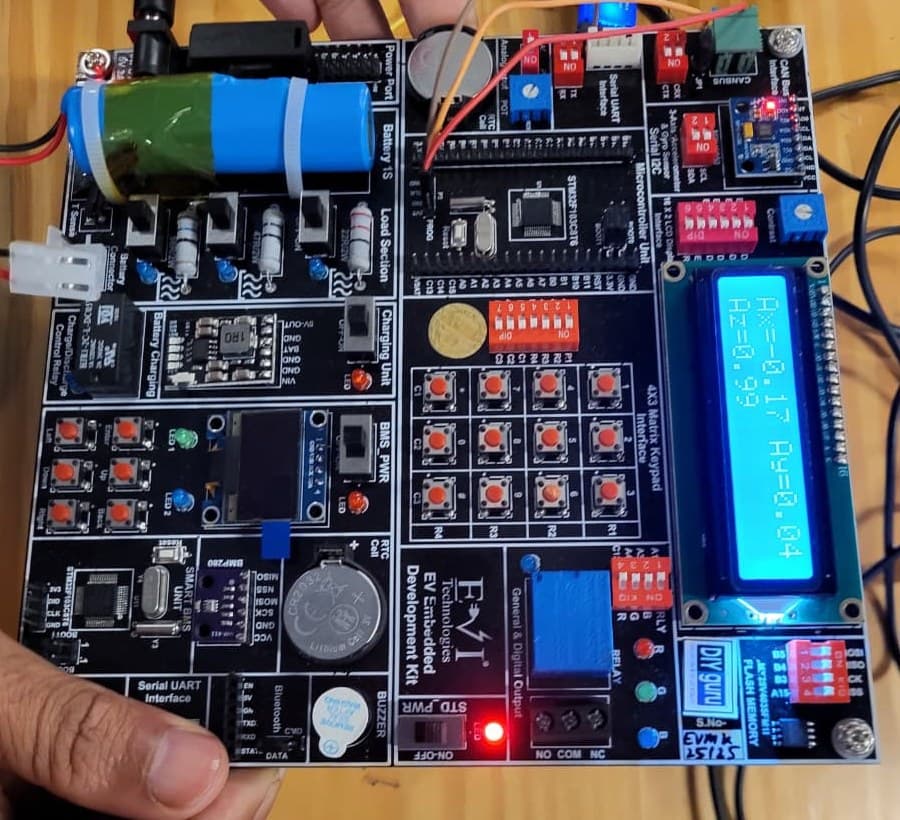
EV Embedded Development Kit board

Practise on real hardware

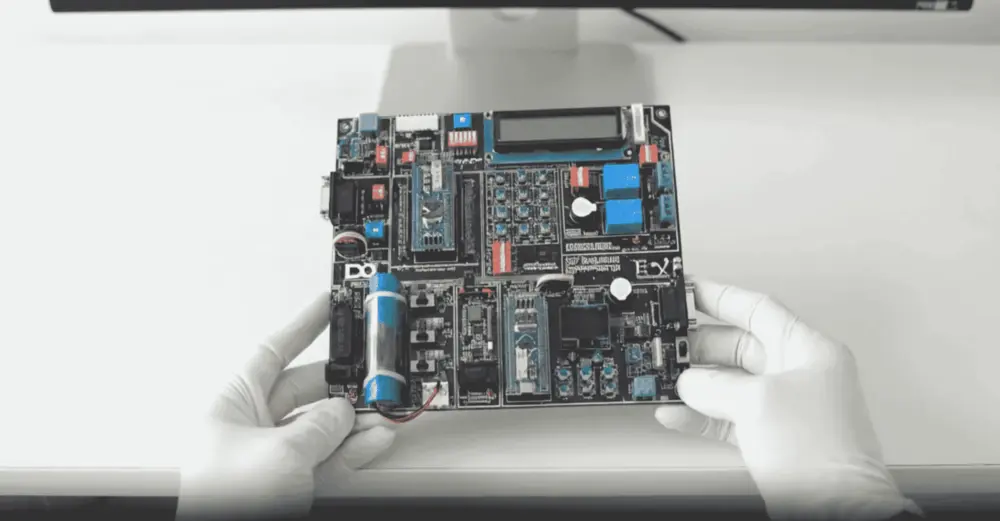
EV Embedded Development Kit

  • STM32 controller and Smart BMS unit
  • CAN, UART, I2C, SPI and Bluetooth
  • Sensors, LCD, OLED and motor control
  • 15+ guided experiments at home

₹10,000 + GST

See what's in the kit

Trainer Support

Stuck on a concept? Ask a trainer.

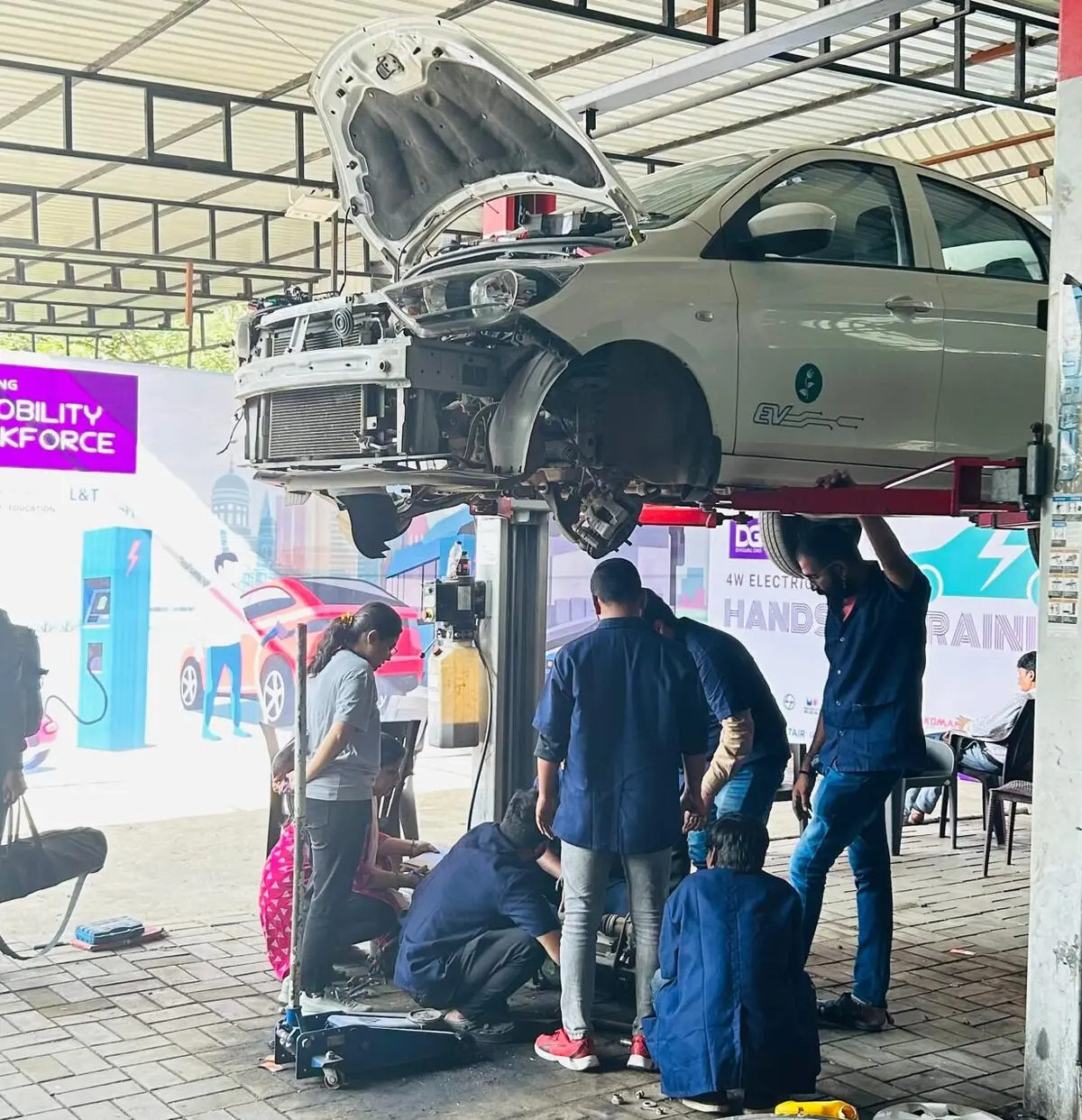
DIYguru trainer working with learners

Ask questions in the course Q&A, for example on an over-constrained sketch, a failed pocket or drawing view setup, and a trainer will respond. Live doubt-clearing sessions are offered when scheduled.

  • Ask questions in the course Q&A, right next to the lesson
  • Trainers answer on the portal — you're notified when they reply
  • Assignments and projects you submit are reviewed by a trainer
  • Live doubt-clearing sessions when they're scheduled for the course

Bharat eMobility Recruitathon

Meet the EV industry in person

The Bharat eMobility Recruitathon brings our learners face to face with companies hiring across the EV industry. Watch the Delhi and Pune chapters.

Delhi chapterRecruitathon
Pune chapterRecruitathon

Reviews

4.8 ★ from 10 student reviews

  • ★★★★★

    Outstanding Support. Thanks a lot, Anubhav, for the immense support and guidance throughout the program, and for your patience while calmly helping me fix both small and big problems. You have excellent and in-depth knowledge about CATIA and the alternative options you taught me. I'm delighted to share my opinion about my experience.

    Adewoye A. · Aug 2020

    Reviewed on courses.diyguru.org

  • ★★★★★

    Incredible mentorship, and amazing and unique lectures. DIYguru provides a great way to learn with self-paced videos and recordings of online sessions. Thanks, DIYguru, for providing quality education.

    Praneeth C. · Jul 2020

    Reviewed on courses.diyguru.org

  • ★★★★★

    Loved It!!. DIYguru is a great learning platform for aspirants. It provides online learning with global intellectual faculties. It offers unparallel service and is the best place to attain professional knowledge and grow in one's career. I am very, very thankful to DIYguru.

    Surwasekuldeep · Jul 2020

    Reviewed on courses.diyguru.org

  • ★★★★★

    Awesome. I recently enrolled in the CATIA Program at DIYguru. The syllabus is systematically structured, and the sessions are explained with examples. This makes the course more accessible to freshers with basic knowledge. Looking forward to completing it. Thanks, DIYguru Team.

    Rohan M. · Jul 2020

    Reviewed on courses.diyguru.org

  • ★★★★★

    Excellent. DIYguru is an excellent platform for online learning. Their course curriculum is comprehensive and up to date. We get enough time for the access to the recorded sessions in case we need to refresh our understanding. If you are looking to upskill, I suggest you sign up with DIYguru.

    Anand G. · Nov 2019

    Reviewed on courses.diyguru.org

  • ★★★★★

    Brilliant. DIYguru facilitates a brilliant platform to acquire new & relevant skills at ease. Well laid out course content and expert faculty ensure an excellent learning experience.

    Arunkumar · Oct 2019

    Reviewed on courses.diyguru.org

FAQ

Frequently asked questions

Is this suitable for complete beginners?
Yes. It starts with installing and setting up CATIA V5, the workspace and navigation before sketching and part design.
What software do I need?
CATIA V5. A student or trial licence is enough for following the lessons. Exercise files are provided in Module 1.
Does it cover surface design or sheet metal?
No. It covers Sketcher, Part Design, Assembly Design and Drafting. Surfacing and sheet-metal workbenches are not part of this course.
Is it EV-specific?
The skills are general CAD skills used across automotive work, including EV components; the exercises are not tied to a particular vehicle.
How do I learn?
Through recorded, self-paced video lessons on the portal, practising with the exercise files.
Will I get a certificate?
On completing all lessons and any required quizzes or assignments, you receive a digitally signed certificate that anyone can verify through its public verification link or QR code.
How is the course delivered?
As recorded video lessons on the portal that you watch at your own pace, with quizzes, assignments and a project where the course includes them. Your progress is saved lesson by lesson.
What if I get stuck?
Ask in the course's Q&A on the portal — a trainer answers there. Live doubt-clearing sessions are added when they are scheduled for the course.
What certificate will I get?
A digitally signed certificate of completion once you finish the lessons and the required quizzes and assignments. Each certificate has a public verification link and QR code anyone can check.

Talk to a counsellor

Questions about CATIA V5 में सर्टिफ़िकेशन कोर्स – 3D मॉडलिंग और ड्राफ्टिंग?

Leave your details — a counsellor will call you about the syllabus, fees, EMI and certificates.

Technical Expertise You Will Gain

Where CATIA V5 में सर्टिफ़िकेशन कोर्स – 3D मॉडलिंग और ड्राफ्टिंग can take you

The roles these skills are used in, what you'll be able to do, and the parts of the industry that need it.

Key Job Roles

  • →CAD engineer – CATIA V5 (trainee)
  • →Design draughtsperson
  • →Junior product design engineer
  • →CAD technician (automotive components)

Skill Sets

  • →Navigate CATIA V5 workbenches, the model tree and the compass
  • →Create fully constrained sketches and check them with sketch analysis
  • →Build parts with pad, pocket, shaft, groove, holes, fillet, chamfer, draft and shell
  • →Assemble parts with constraints in Assembly Design
  • →Produce dimensioned and annotated 2D drawings and manage CATIA files

Where These Skills Are Used

  • →Automotive OEMs and tier-1 suppliers
  • →Aerospace component design
  • →Engineering design services
  • →Industrial machinery

Government-Certified · Industry-Endorsed · Learner-Approved

Globally recognised credentials

ASDC (Govt of India)

ASDC (Govt of India)

Automotive Skills Development Council — recognised by major OEMs worldwide.

AICTE NEAT

AICTE NEAT

National Educational Alliance for Technology — issued under AICTE's premium learning ecosystem.

Learner Stories

What our learners say

The hardware-first approach made all the difference. Came in from a generalist electronics background; the BMS and motor-drive modules gave me concrete vocabulary I could carry into Infineon interviews.

Souvik Hazra
Souvik Hazra
Senior Manager · Infineon Technologies

Industry-grade depth without the academic ivory tower. The MATLAB Simulink + capstone defence prepared me for exactly the kind of cross-functional EV problems we solve at Cummins.

Sharad Yeola
Sharad Yeola
Application Controls Lead · Cummins Inc.

Started with electronics, walked into a BMS role in Germany. The applied projects + mentor reviews are what carried me through — the certifications opened the door, the depth got me hired.

Jagatjit Barik
Jagatjit Barik
Sr. R&D Engineer (BMS xEV) · Mercedes-Benz

Ready to start CATIA V5 में सर्टिफ़िकेशन कोर्स – 3D मॉडलिंग और ड्राफ्टिंग?

Recorded lessons at your own pace · trainer doubt support · verifiable certificate on completion.

Accreditations

Programs Recognised by Govt. Bodies & Industries

ASDC
AICTE NEAT
SIMOPS Saudi
DSD Malaysia
UK Government
UACH
Tata Technologies
ADYPU
UDYOGA Karnataka
Ola Mobility Institute